
PixelTuck
Tuck your photos away. Free up your space.
Android coming soon iOS
Phone storage is always a little short.Yet your photos and videos keep piling up.
Deleting them hurts. Transferring to a computer is a hassle. Cloud storage means monthly fees. PixelTuck offers a fourth way: fold your photos into ultra-compact archives right on your device (down to 1/5–1/9 of their original size). They take up no space in your camera roll, unfold instantly whenever you want to view them, and your original image remains untouched down to the very last byte. On-device AI compression keeps everything strictly on your phone.
Tuck & Store
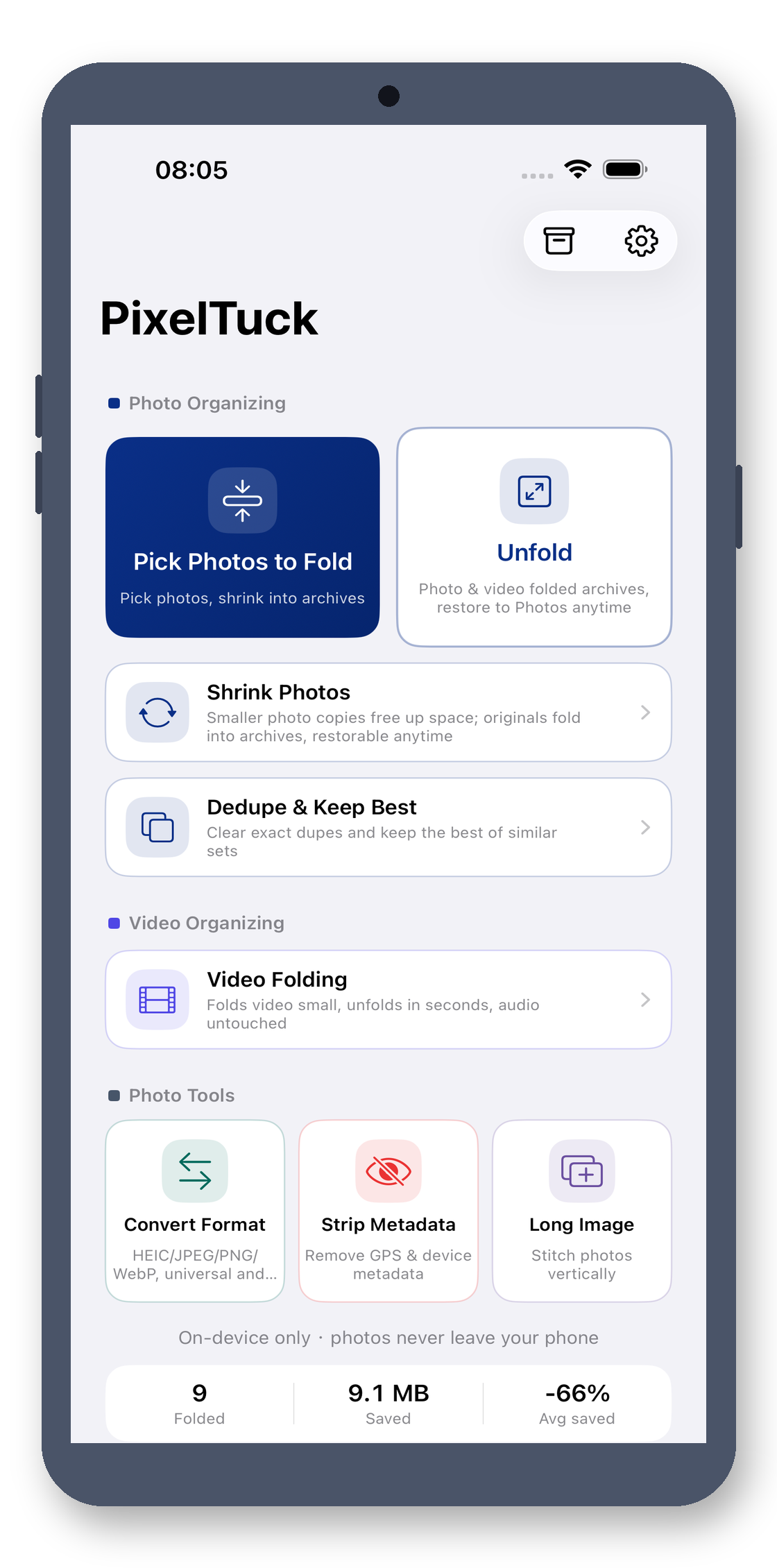
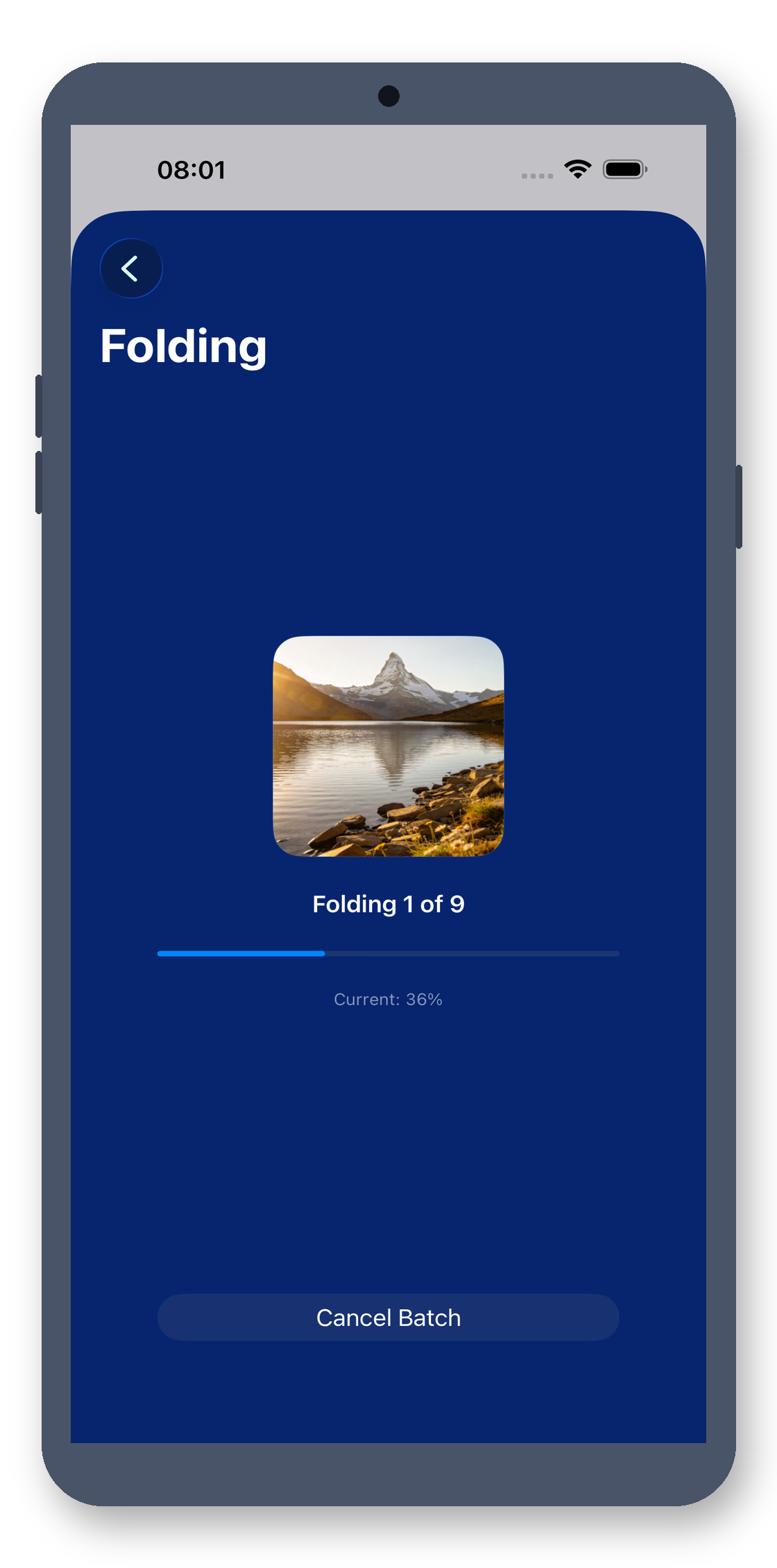
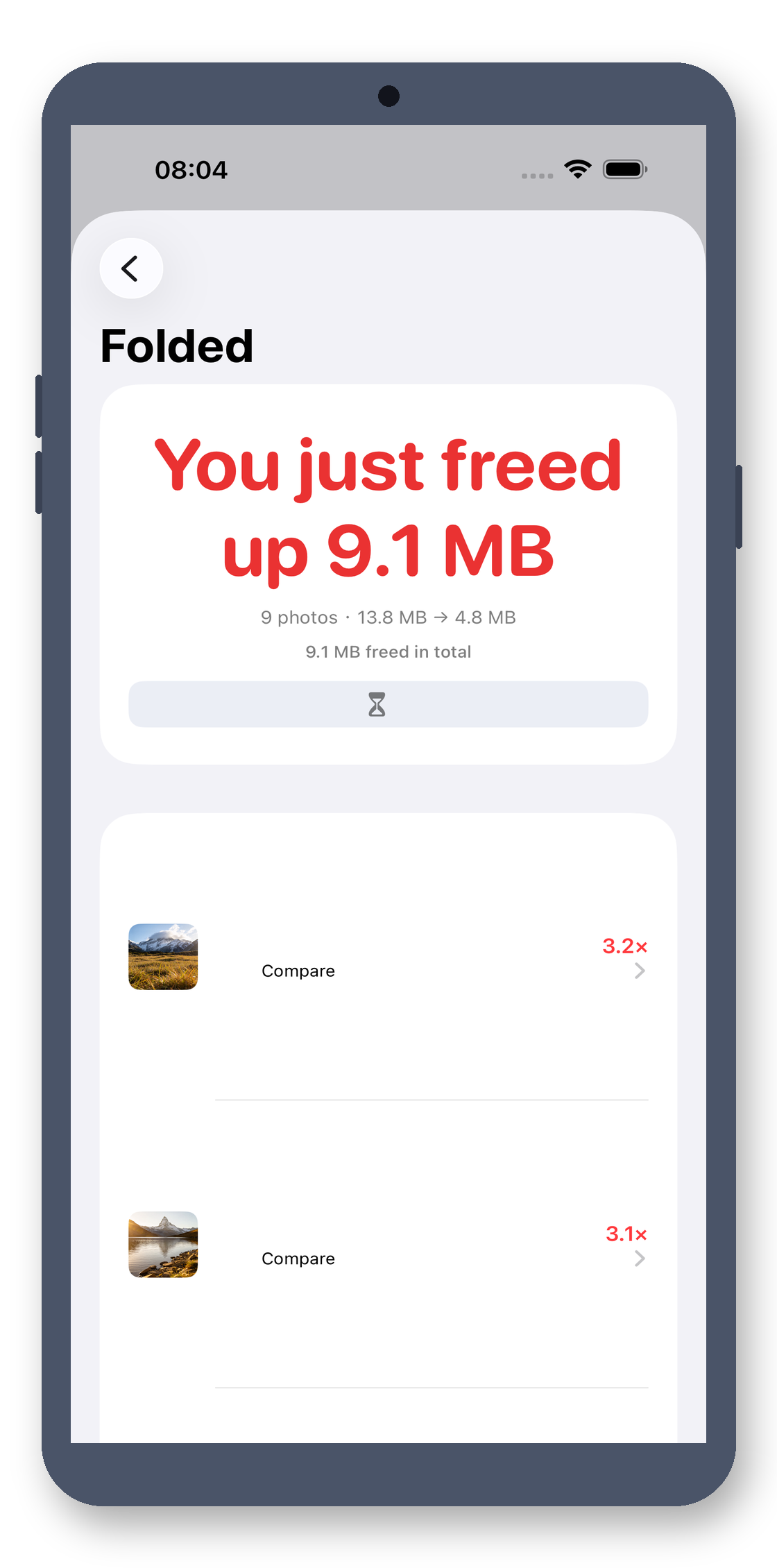
Select photos from your camera roll (up to 50 at a time), and on-device AI folds them into private archives—shrinking them down to about 1/5–1/9 of their original size. Max mode saves about 90%, Balanced mode saves about 80%, and High Quality mode saves about two-thirds. Once folded, the home screen displays your saved space in real time, making the results crystal clear.
Three Quality Modes
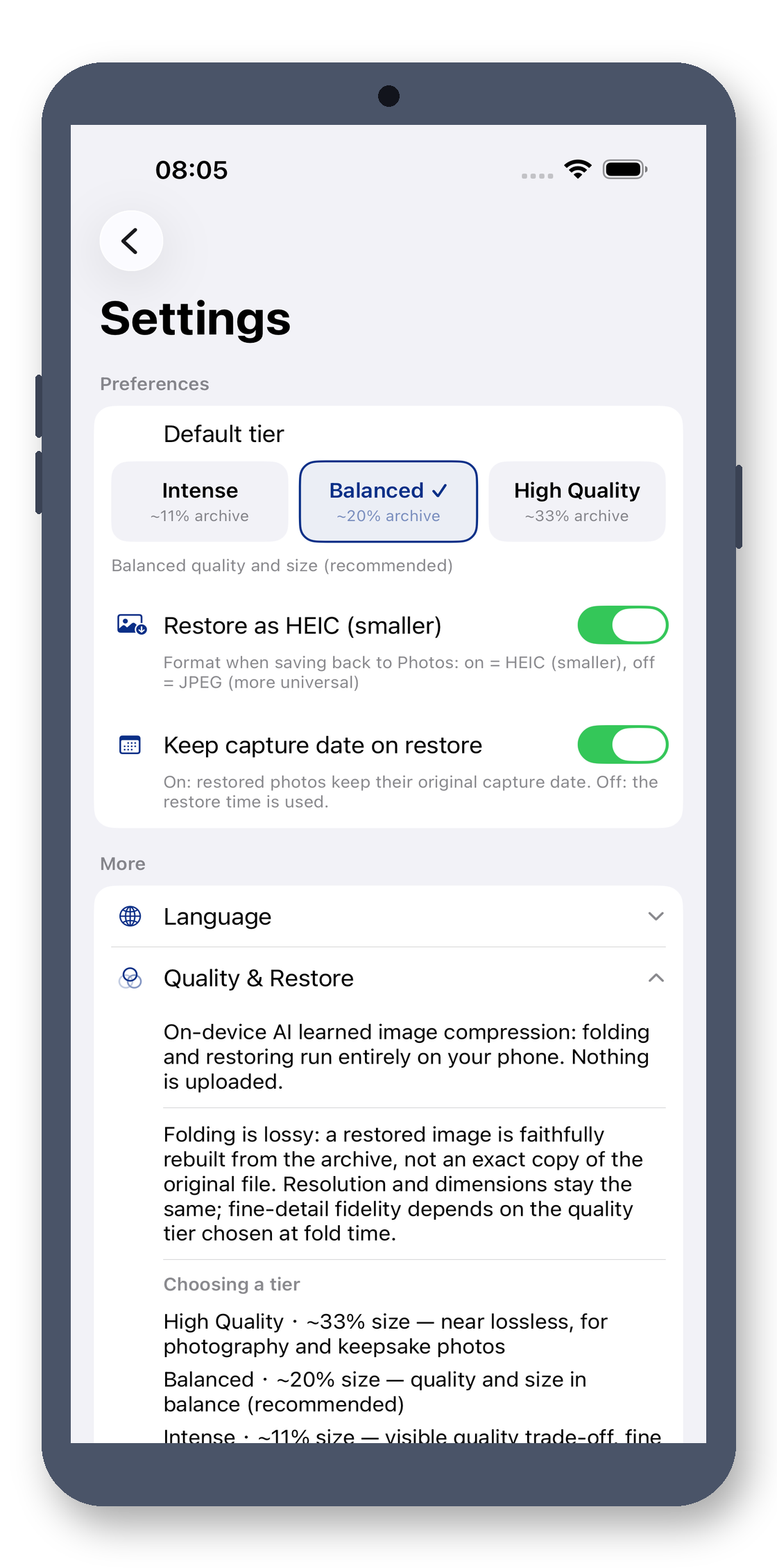
Three quality modes correspond to three compression levels: Max mode saves about 90% of the size (~9×), Balanced mode saves about 80% (~5×), and High Quality mode saves about two-thirds (~3×). Balanced mode is perfect for everyday photos. Use Max mode to pack in even more, or High Quality mode when you want to preserve details. After folding, you can switch modes and recompress anytime—no need to start over from scratch.
Reversible Storage
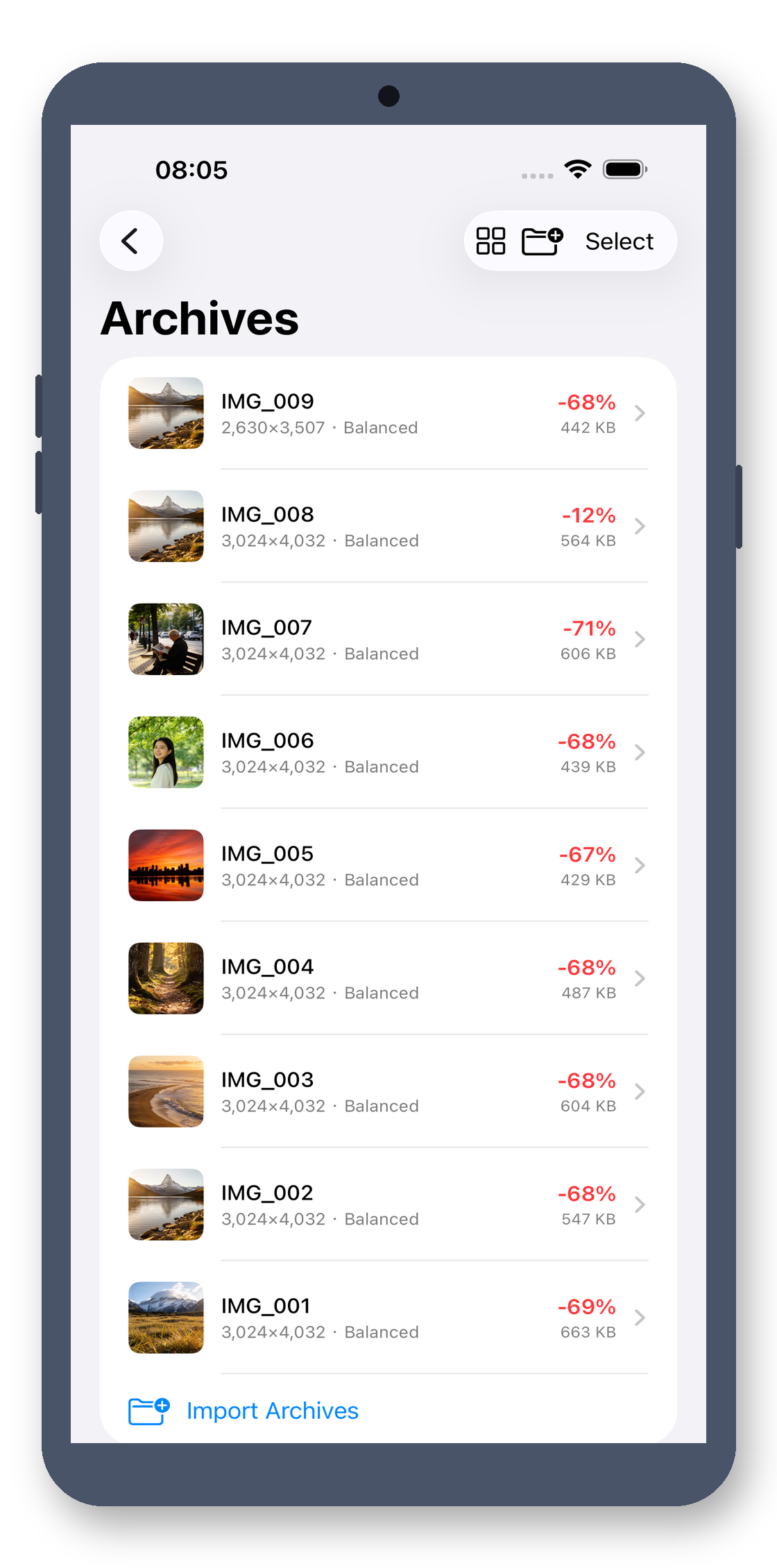
Folding isn't deleting—unfold your archives anytime to browse, compare, or save them back to your camera roll with a single tap. The original image is never modified before folding, and unfolding uses a matched decoder to restore it, making any difference virtually invisible to the naked eye. When you want to clean up, just delete the archive—everything stays independent.
Before & After
The before-and-after comparison screen: slide the divider to compare quality, and pinch to zoom in on the details. Not satisfied with the quality? Switch modes and recompress right there, without stepping back to start over. Choose freely from the three quality modes. How much you save and how much you keep is entirely up to you.
Real screenshots · see it all
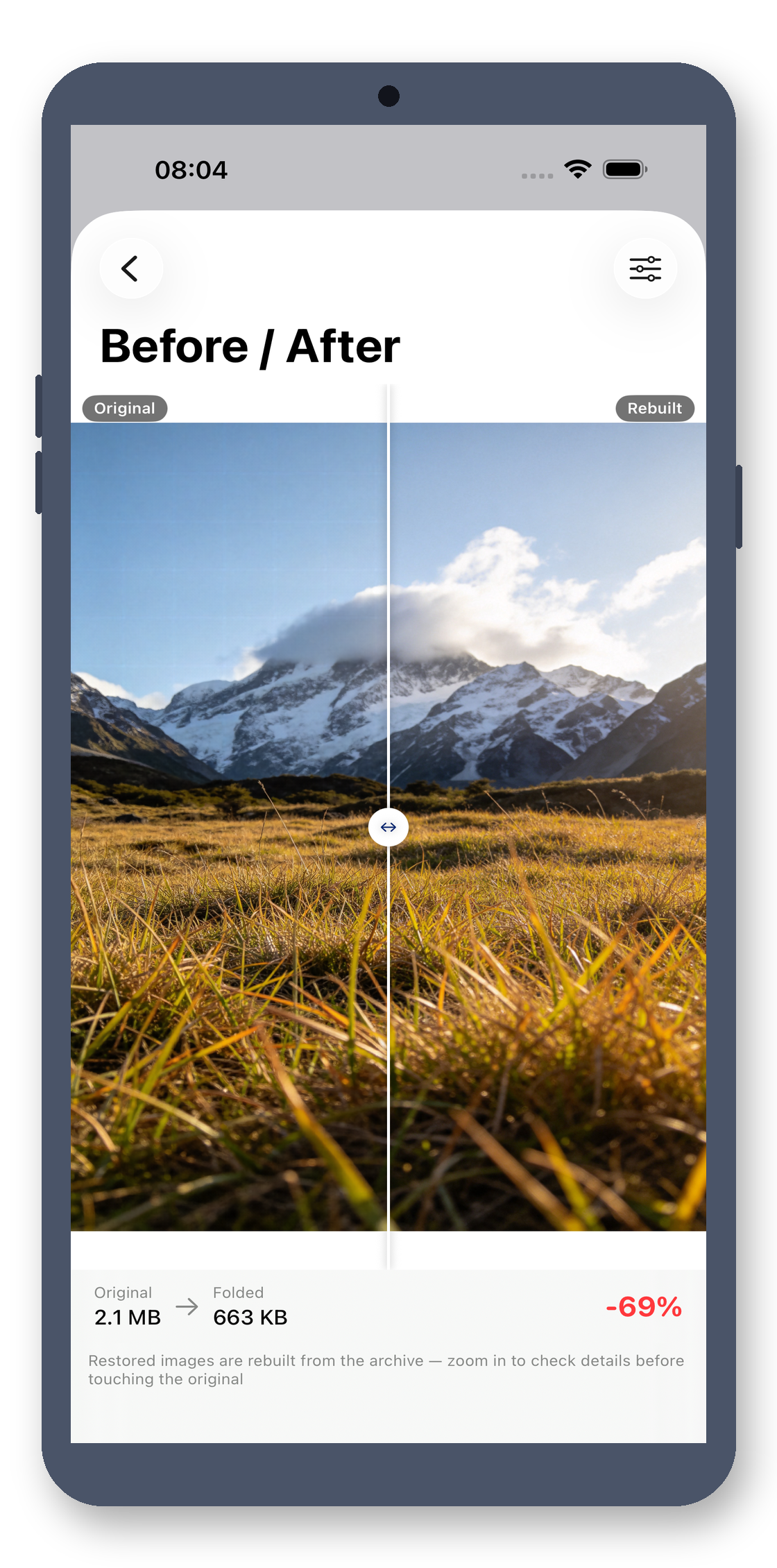
Home screen with three sections: Photo Storage, Video Storage, and Photo Tools. Saved space is visible in real time.
No Quality Compromise
Learned image coding isn't just a simple upgrade over traditional compression—at the same file size, image quality surpasses raw JPEG by 2.8 to 7.1 dB (verified by technical probes). Save a file of the exact same size, and it looks clearer when unfolded. Want the same clarity? The file becomes even smaller. On-device AI handles it all right on your phone, entirely offline.
Video Folding
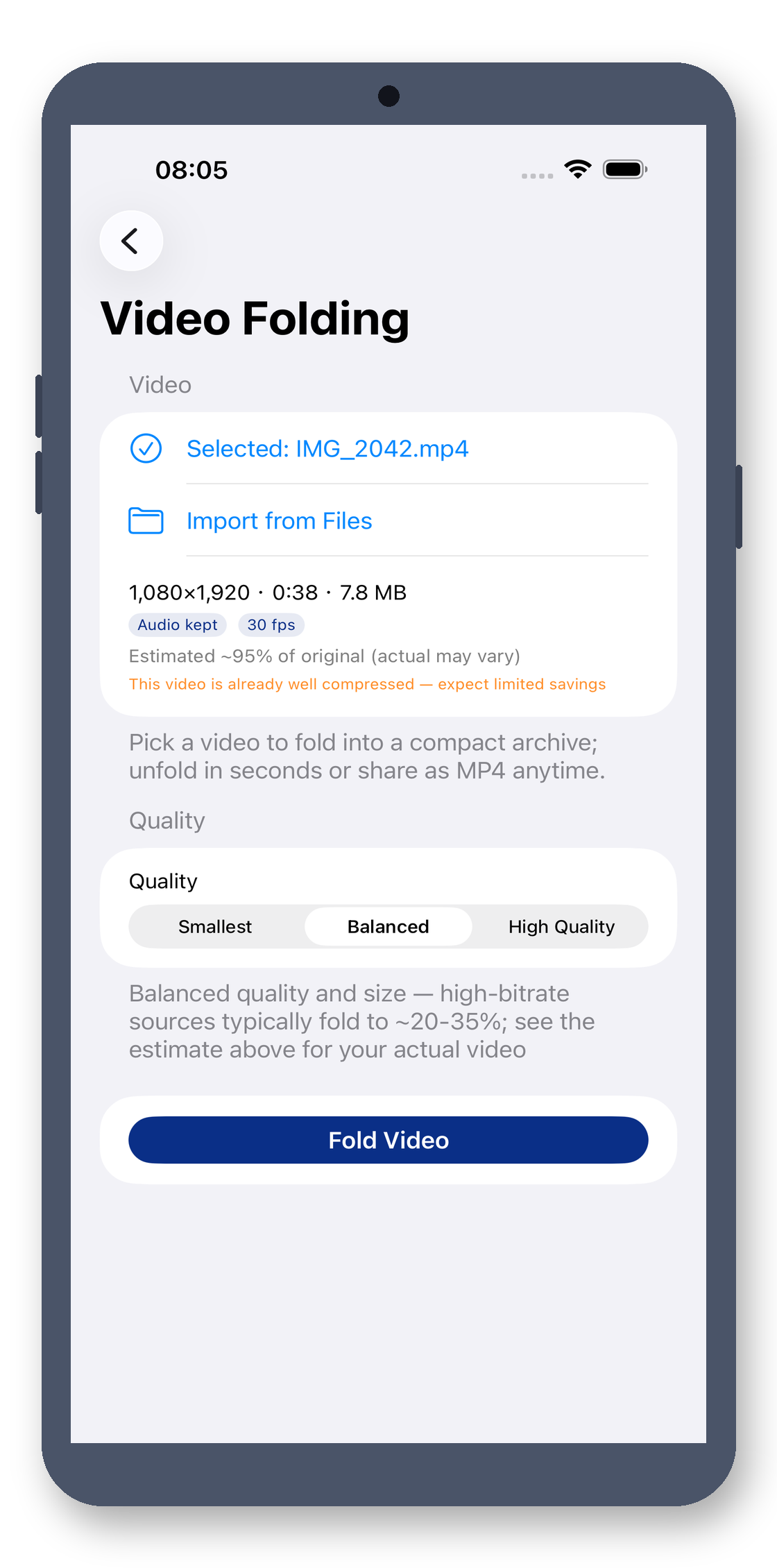
Fold high-bitrate videos into compact archives, saving at least half the size. Unfolding takes just seconds, and the audio track uses passthrough for zero loss—what you heard before folding is exactly what you hear after unfolding. Import from your camera roll or pick videos directly from the Files app.
Shrink Photos
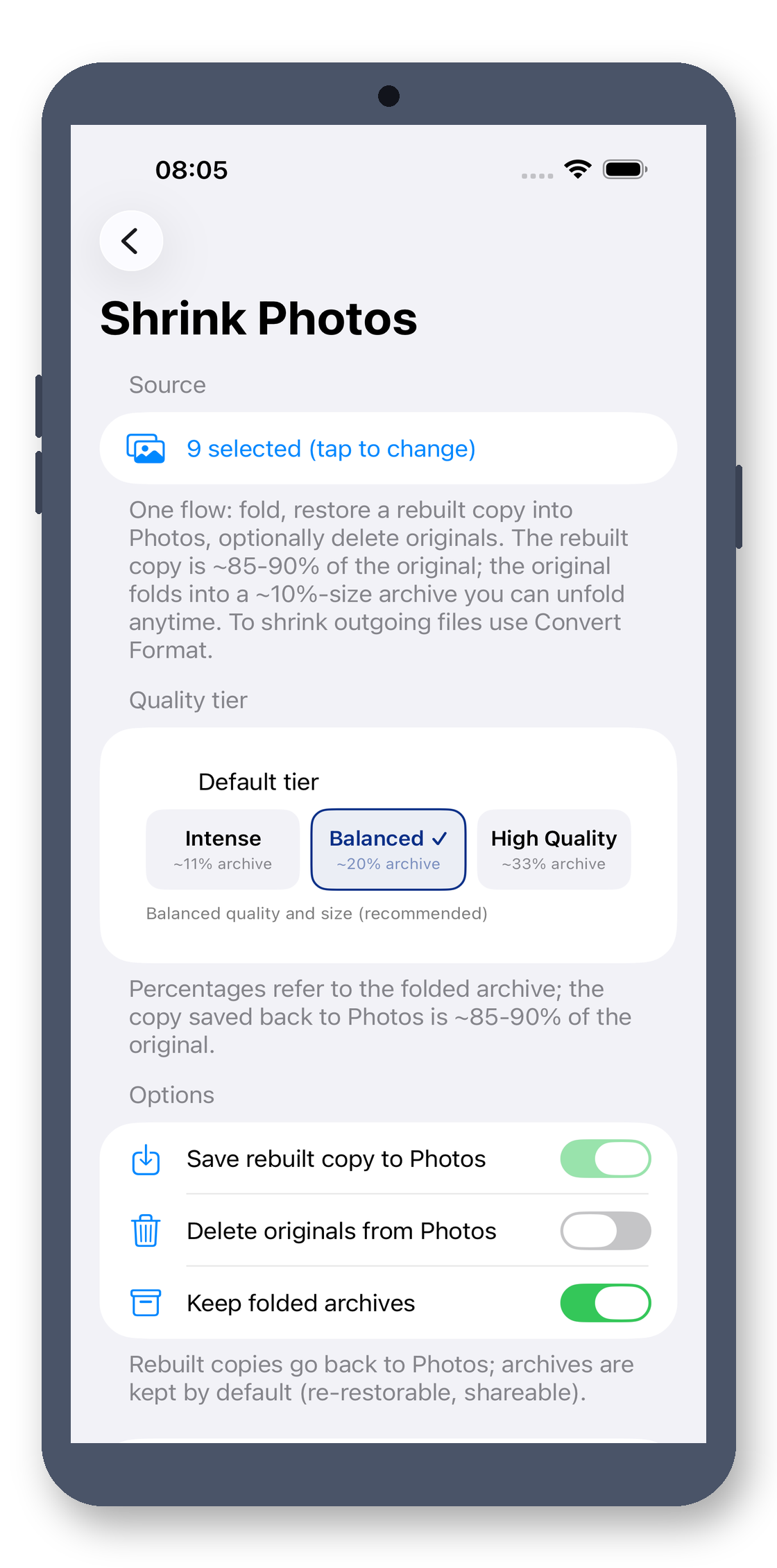
Shrinking photos and folding them are two separate needs. Your photos stay right in the camera roll while their file size is shrunk in place, ready for normal viewing anytime. Perfect for a camera roll where you just want to slim things down without the hassle of organizing.
Deduplicate & Curate
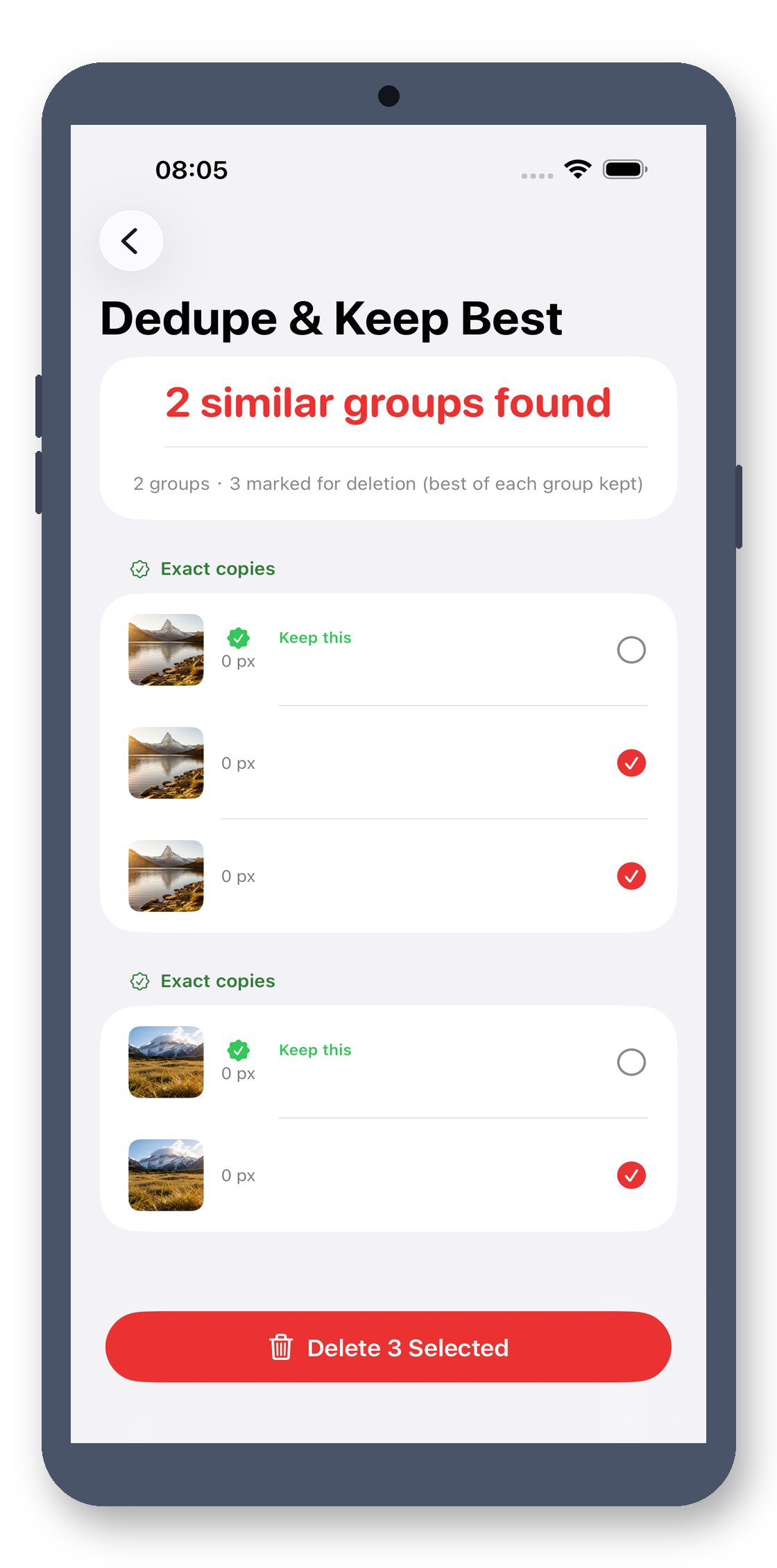
Fingerprint-level recognition: exact duplicates are cleared directly, and for similar burst-shot groups, we help you pick the single best shot while marking the rest for deletion. Scan your entire library or just a selected range. Every group is clearly presented for you to decide—no accidental deletions.
Convert & Strip Privacy
Convert seamlessly between HEIC, JPEG, PNG, and WebP—making your photos universally shareable and smaller. Strip privacy with one tap to remove metadata like GPS location and device model, so the photos you send out only contain the picture. Two high-frequency tools, ready whenever you need them.
Universal Formats
Importing supports seven formats: JPEG, PNG, HEIC, WebP, GIF, TIFF, and BMP. Conversion works seamlessly between HEIC, JPEG, PNG, and WebP. HEIC shots from your iPhone won't open on an Android? Convert them to JPEG for universal compatibility and a smaller footprint.
Stitch Long Images
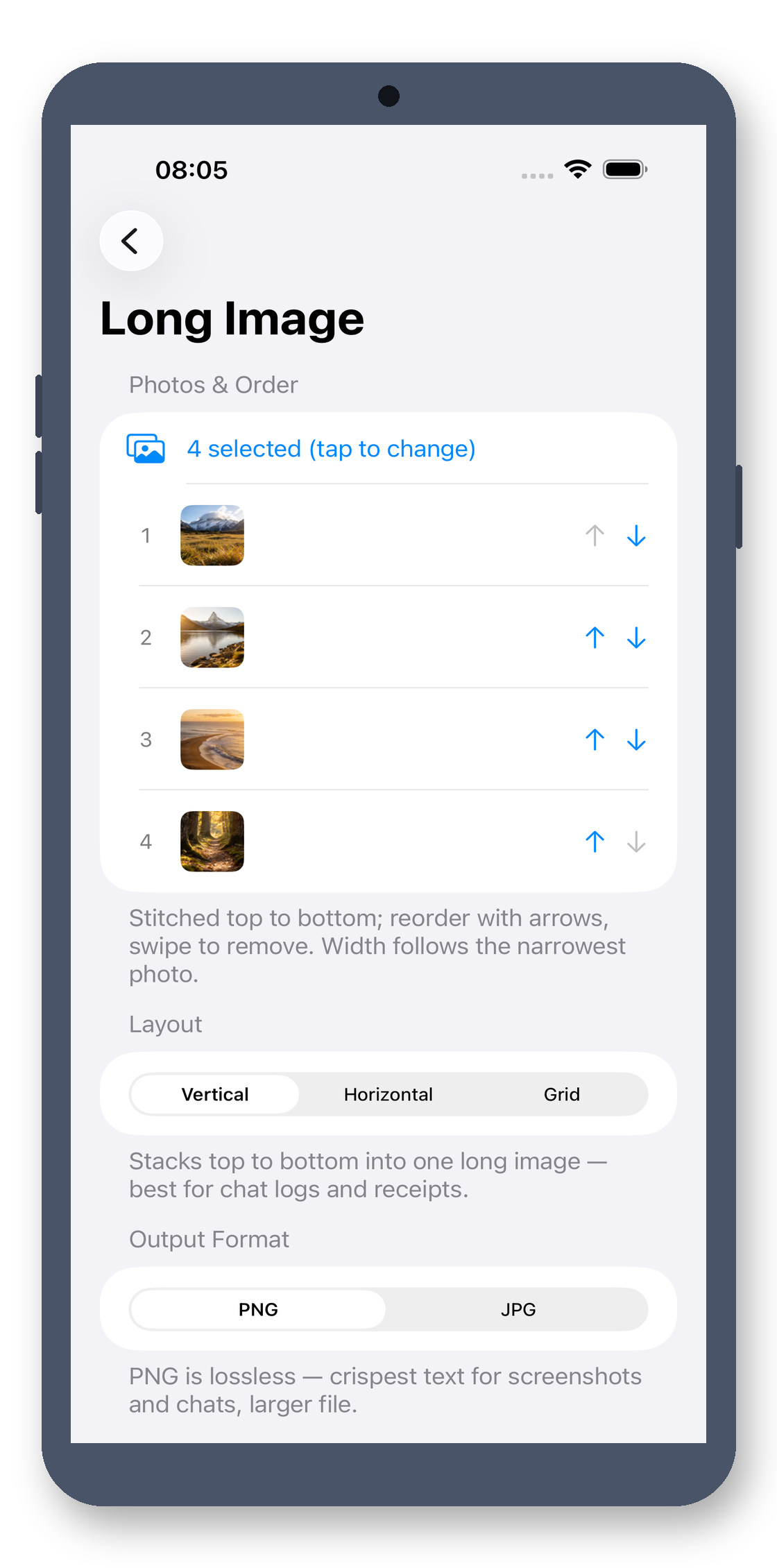
Chat histories, long infographics, receipt vouchers—stitch multiple images vertically. Preview three layout options in real time, and share or save the final stitch directly.
Archive Backup
The archive directory is open to the Files app—drag it to your cloud drive, copy it to a computer, or AirDrop it to a new phone. Switching devices won't lose your archives, and unfolding works just as smoothly.
No account, no cloud, no ads. Buy once, use forever.
Tuck your photos away. Free up your space.
Yes. This is a clean, one-time purchase tool: no ads, no subscriptions, no in-app purchases, no internet connection, and no personal data collection. Pay once, use forever.
No. It processes everything locally offline. No data is uploaded, no personal information is collected, and there is no account system.
No. It's a one-time purchase with no in-app purchases, no subscriptions, and no ads. Buy it once and use it forever.
One-time purchase, 100% local processing. Your photos never leave your phone.