
MultiPot Timer
Every pot, every step, on time.
Android coming sooniOS coming soon
Every pot, every step, on time.
Multiple burners firing at once,but you've only got two hands.
Steam for 3 mins, stir-fry for 5 mins, reduce for 2 mins—with four pots on different timers, who can keep track? MultiPot Timer assigns a countdown chain to each pot, alerting you with a custom voice recording at each step. Save it as a recipe and reload it with a single tap next time.
Stovetop Dashboard
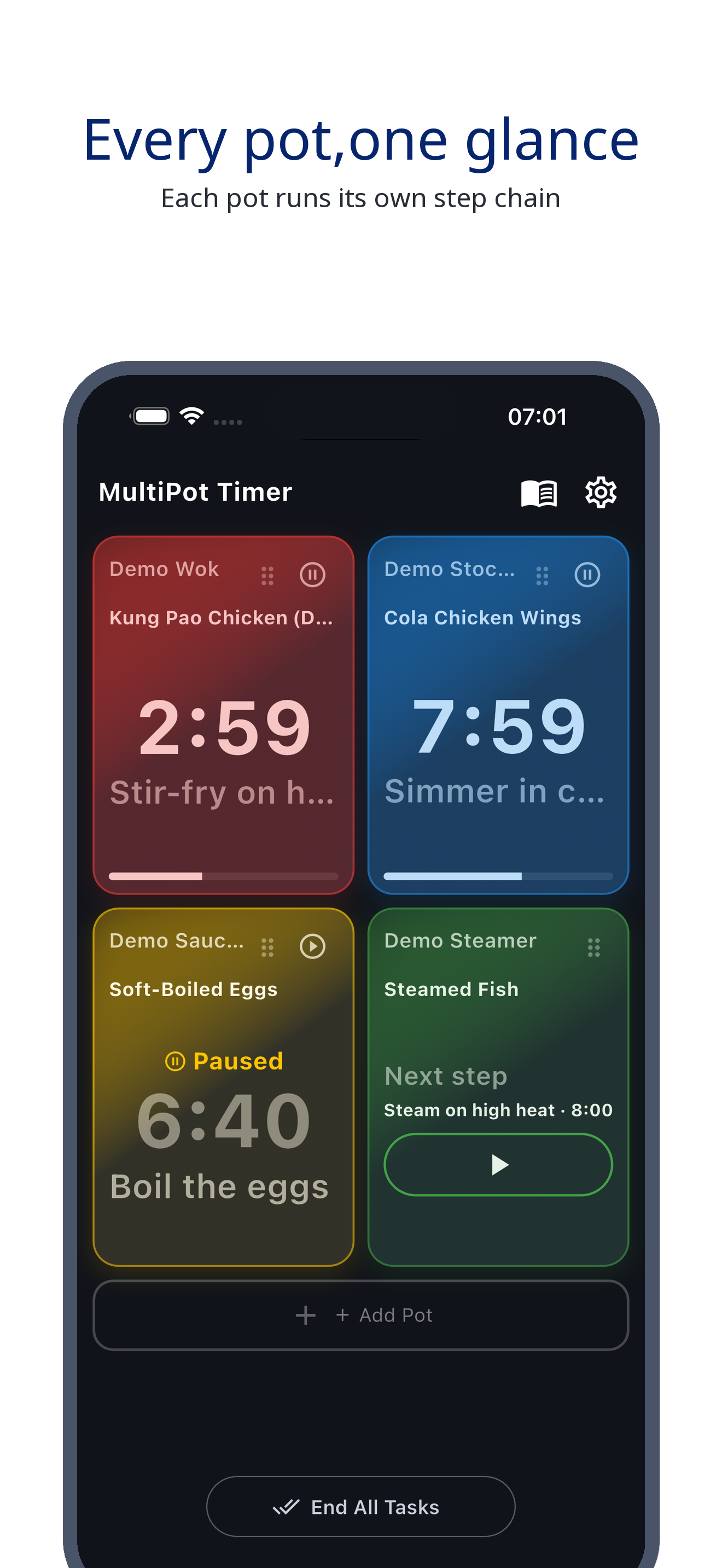
Your screen is the stovetop: each pot gets its own card, showing the countdown and current step. At a glance, you'll see which pot is about to burn or needs attention. Run up to 12 pots simultaneously—even for big family dinners.
Step Chain Timer
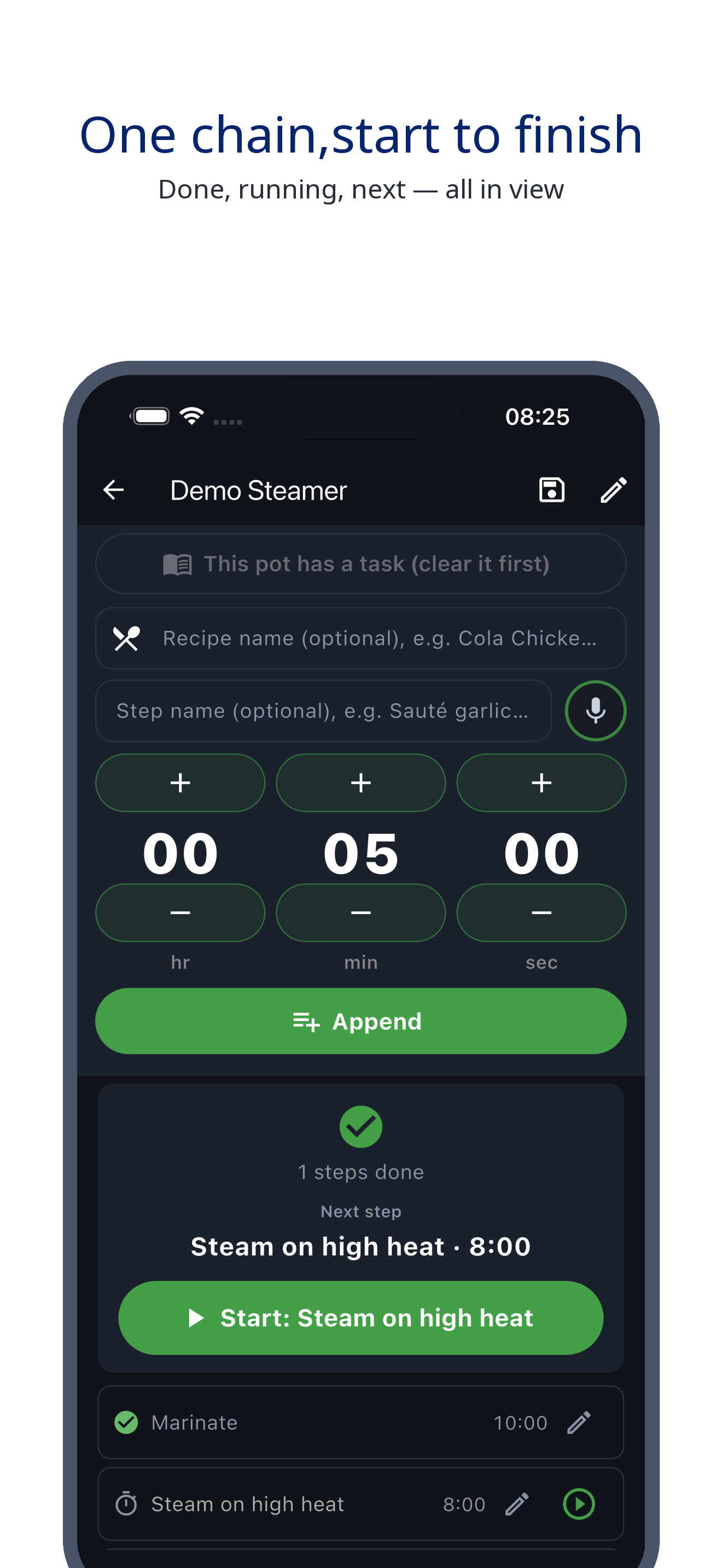
Assign a countdown chain to each pot: steam for 3 mins, stir-fry for 5 mins, reduce for 2 mins. Each step alerts you with a custom message, and the next step auto-activates—no more juggling when cooking multiple dishes.
Braised Pork · Example
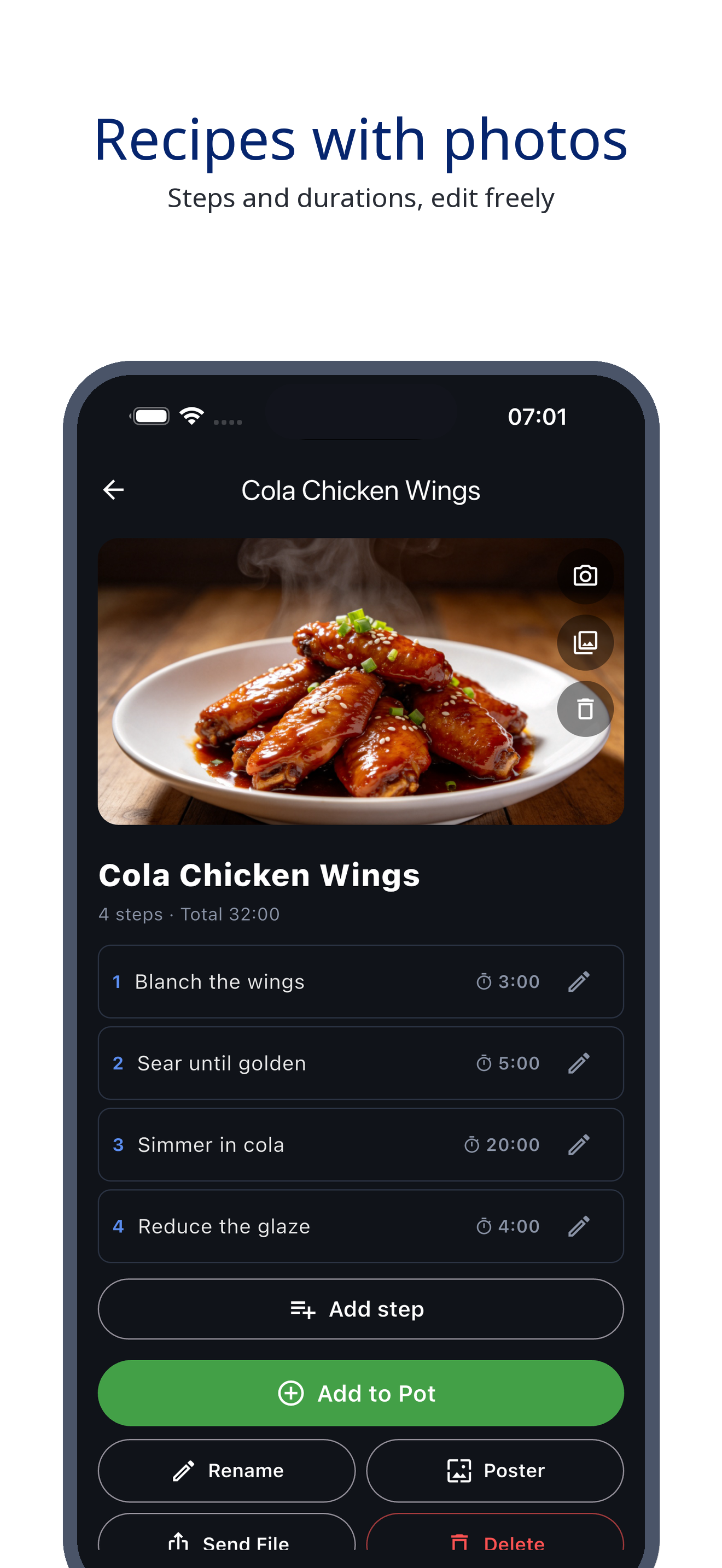
A single chain is the complete timer for a dish: duration and heat level for each step, set once and done. Need to add or remove a step mid-cooking? Just adjust it on the fly.
Custom Alerts
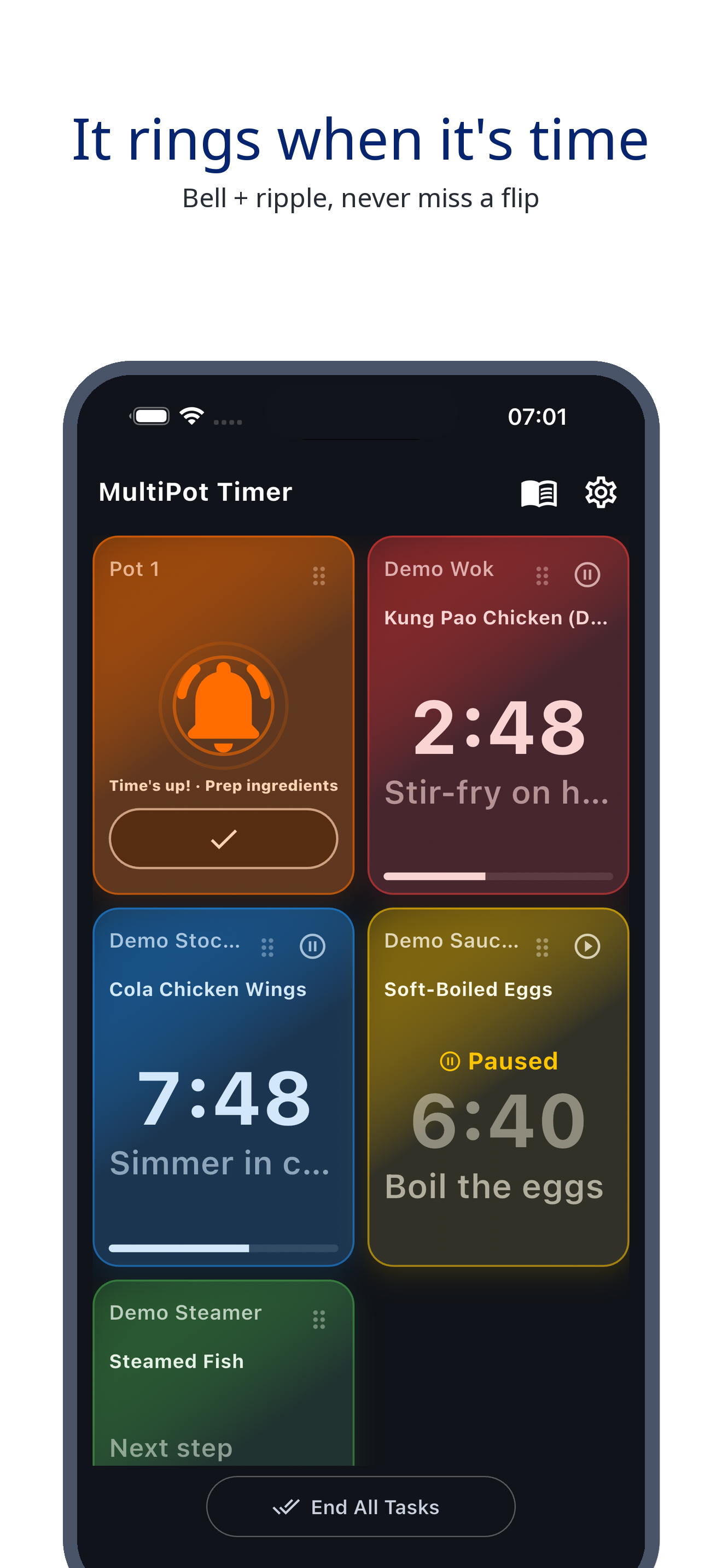
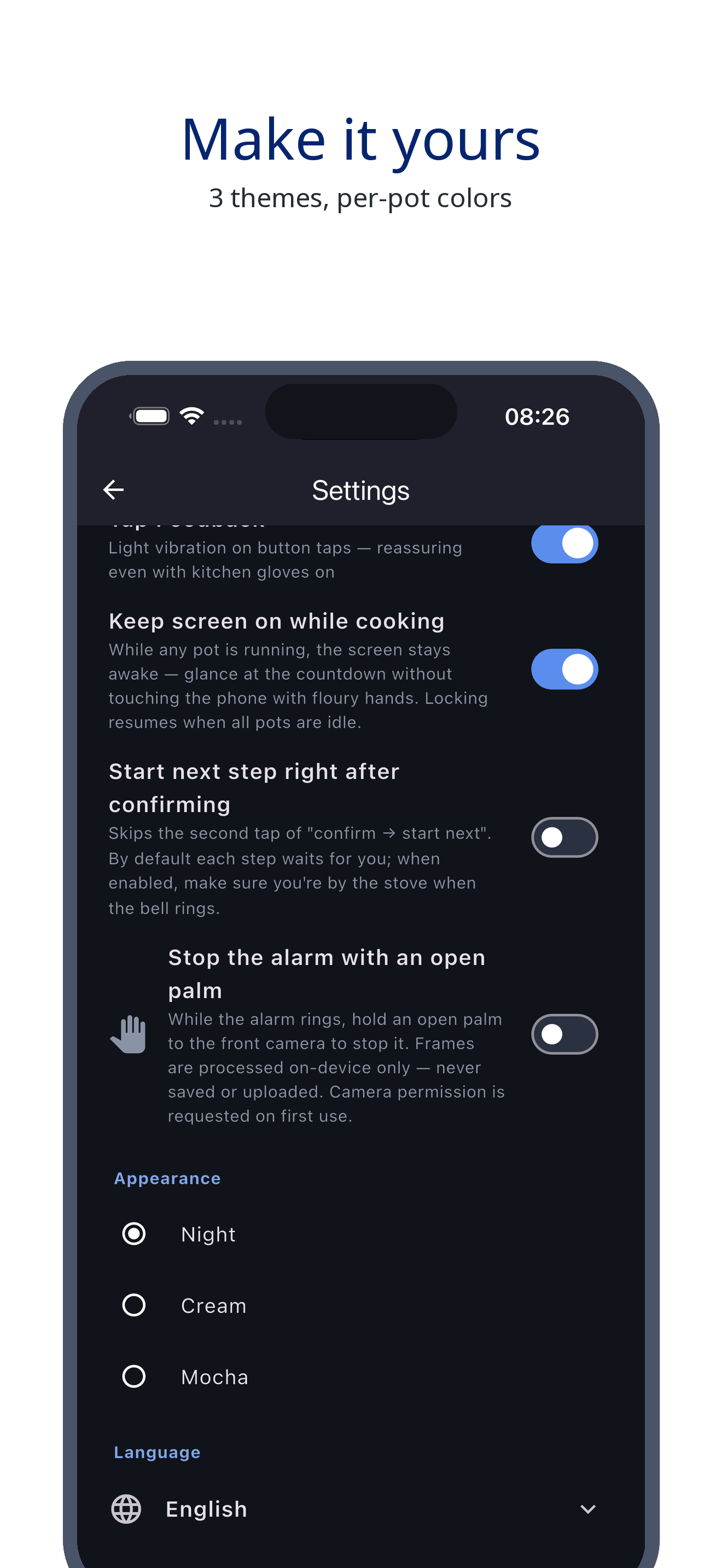
Record a custom alert like 'Time to flip!' and it plays back every time that step ends—even across the room. Hands in oil? Just wave at the camera to silence the alarm, no need to wipe your hands or touch your phone.
Easy Adjustments
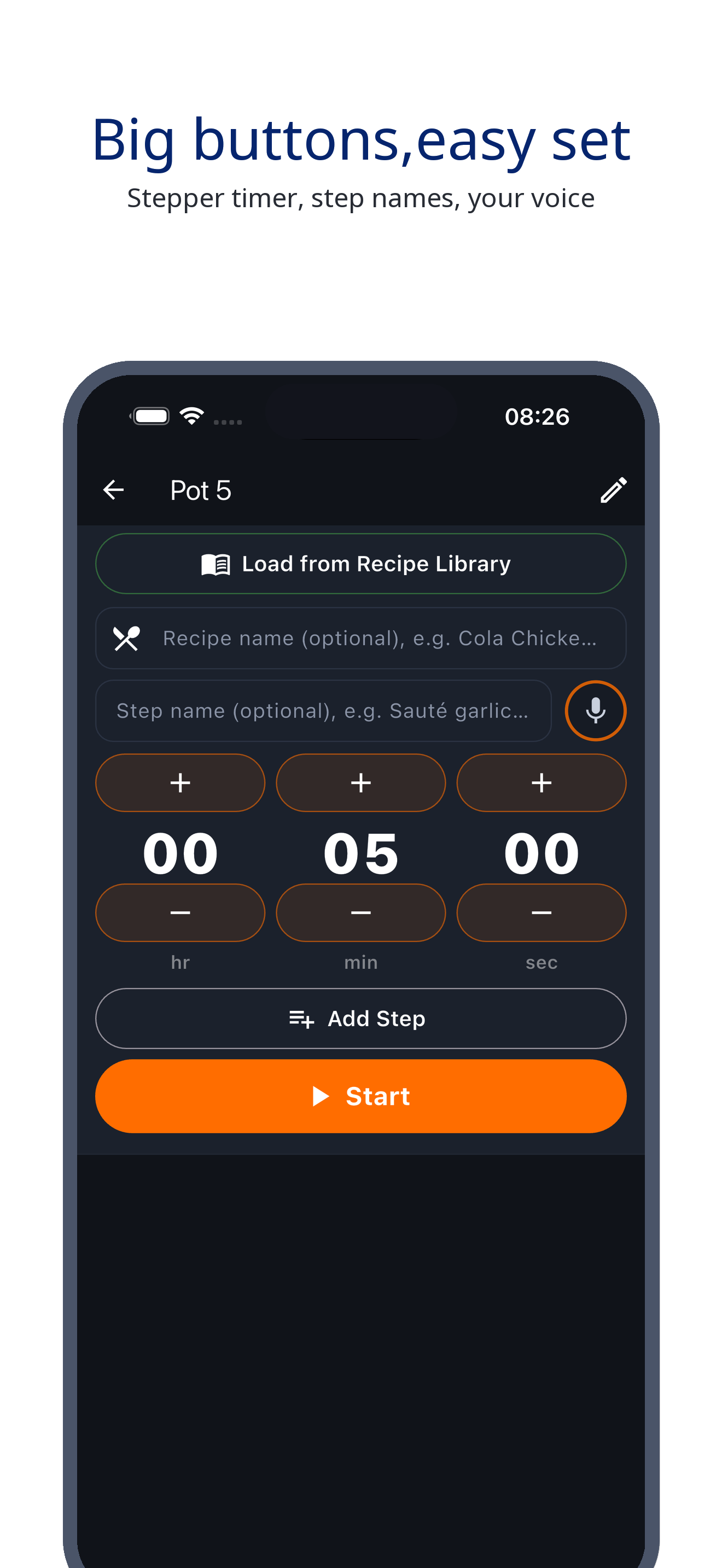
Say goodbye to tiny dials: minutes and seconds are adjusted with large buttons, even with greasy hands. Steps are arranged vertically—add, remove, or reorder them with a tap.
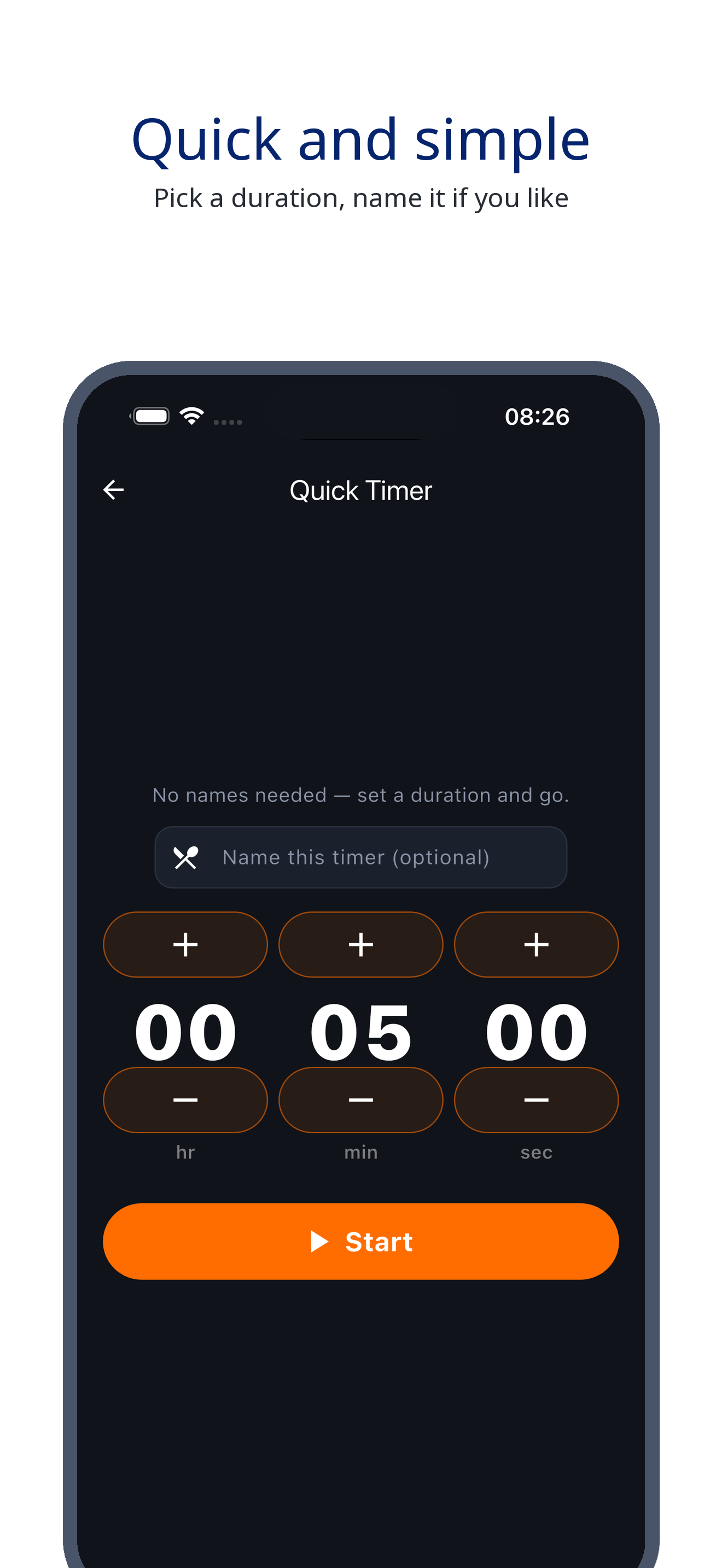
Quick Timer
No need to create a chain for quick tasks: just set a timer and start. Add a name if you want. Fast and simple.
Real screenshots · see it all
Your screen is the stovetop: each pot has its own card, showing time remaining and current step—all at a glance.
Save as Recipe
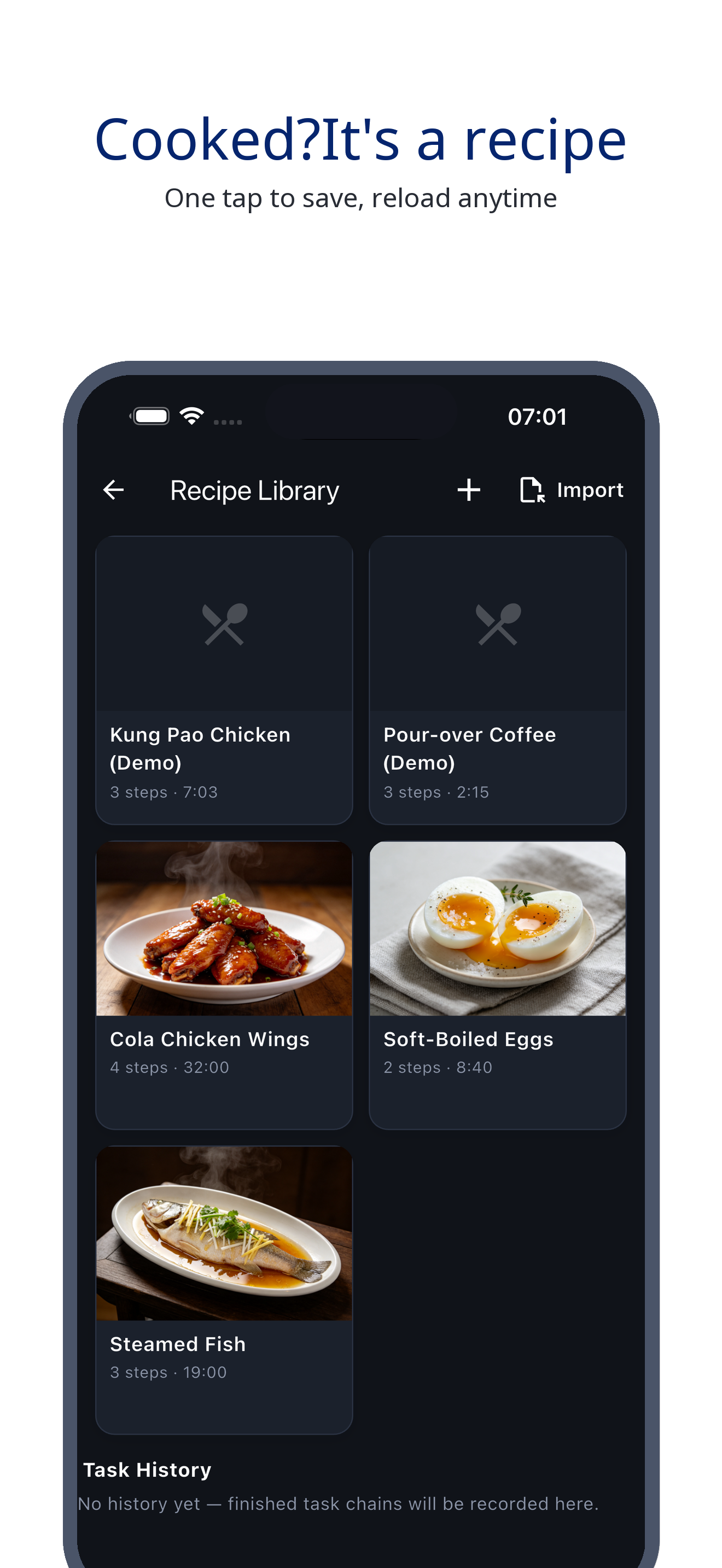
With one tap, save your perfected chain as a recipe—heat, duration, and steps are all preserved. Reload it into any pot next time you cook the same dish. The more you cook, the smoother it gets.
Visual Recipes
Recipes with step-by-step instructions and heat settings—complete documentation for every dish. Export as a small file to share—your mom's braised pork, passed down exactly, ready for your sisters to cook.
Share Your Dish
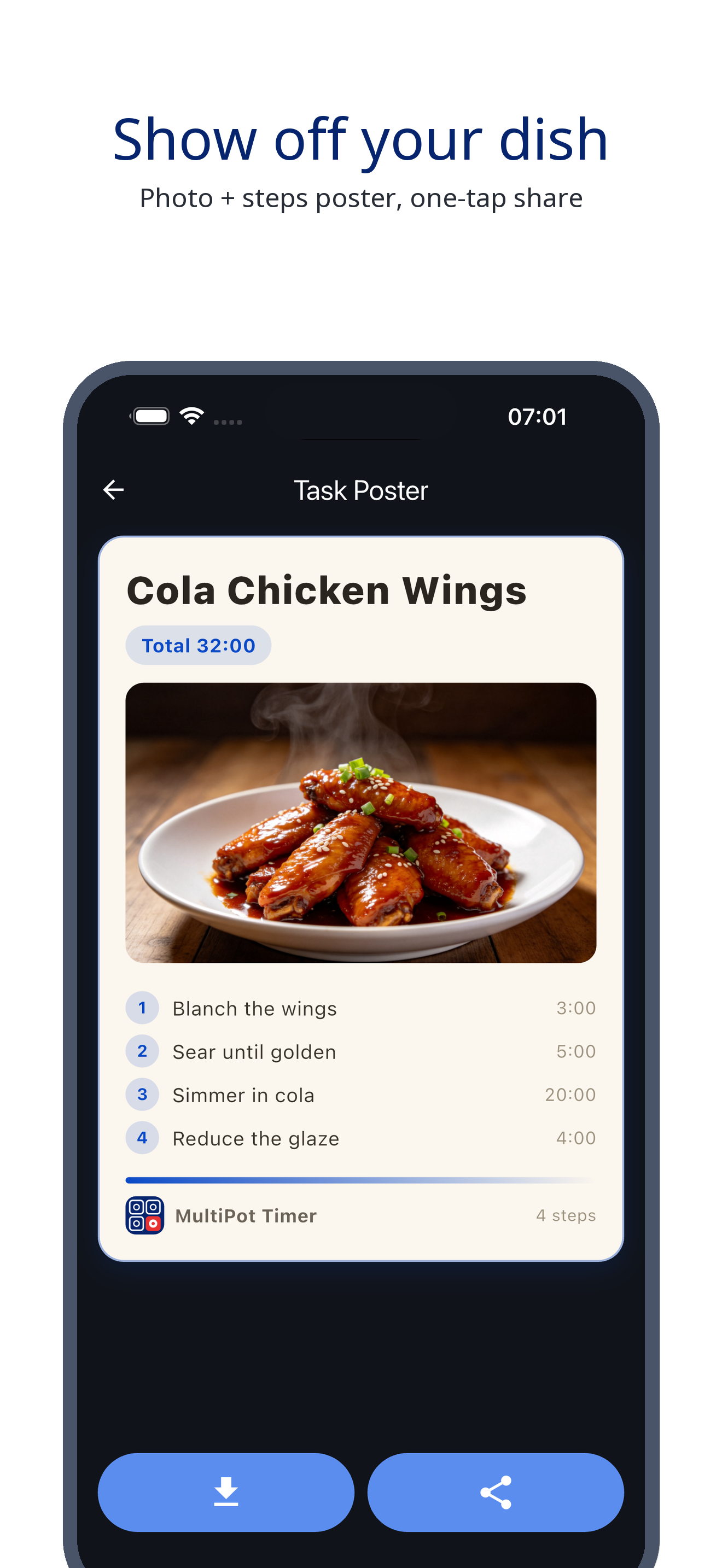
Snap a photo of your finished dish, pair it with the steps, and generate a shareable poster in one tap. Your best dishes deserve to be showcased.
Themes
Choose from Obsidian Black, Cream White, or Mocha Brown. Each pot gets a unique color—so you know which one to turn off just by looking.
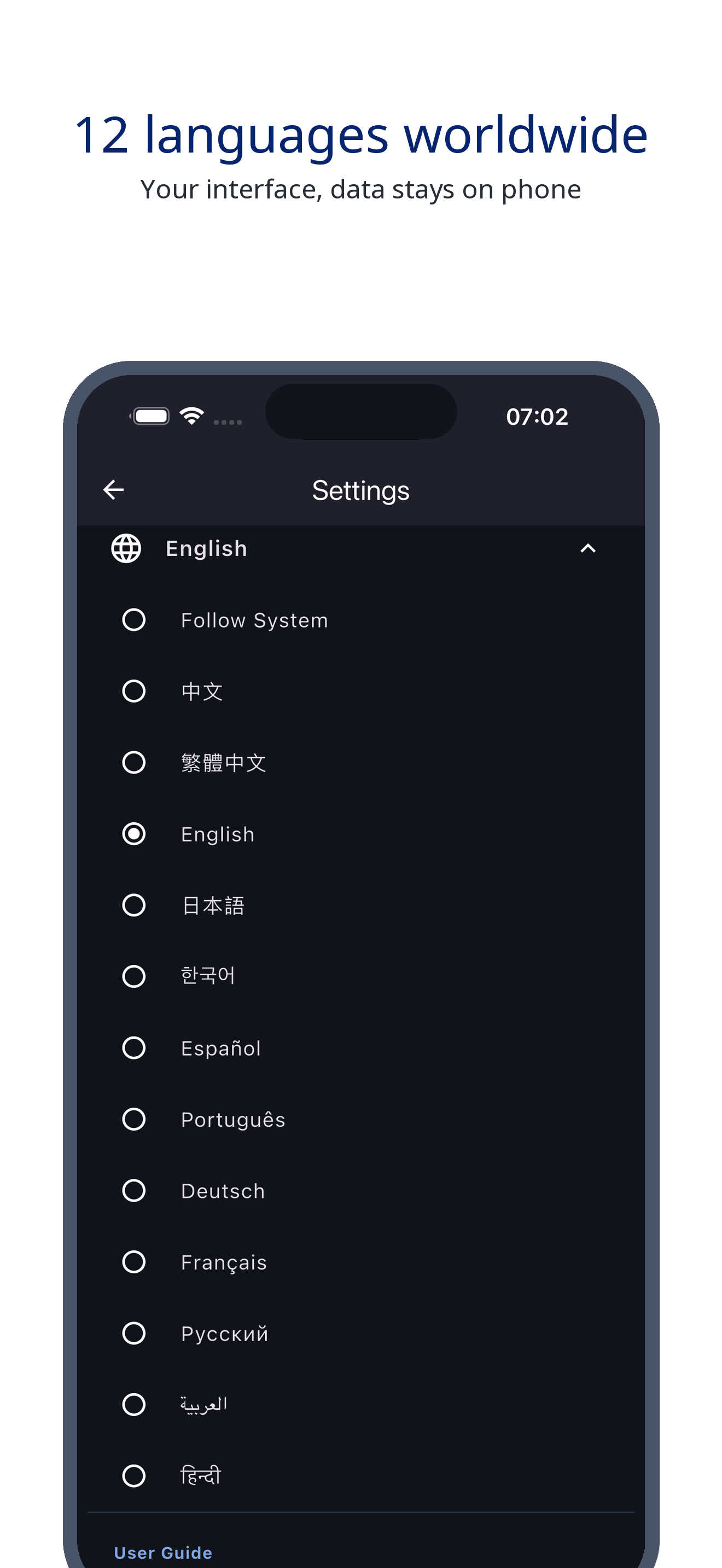
12 Languages · Offline
Switch between 12 languages instantly, fully offline. No account, no ads, no subscriptions—the app has zero internet permissions. Your data stays on your phone forever. One-time purchase.
No account, no cloud, no ads. Buy once, use forever.
Every pot, every step, on time.
Yes. This is a clean, one-time purchase tool: no ads, no subscriptions, no in-app purchases, no internet connection, and no personal data collection. Pay once, use forever.
No. It processes everything locally offline. No data is uploaded, no personal information is collected, and there is no account system.
No. It's a one-time purchase with no in-app purchases, no subscriptions, and no ads. Buy it once and use it forever.
¥12, one-time purchase.
Multi-pot timer · Step chains · Custom alerts · One-time purchase