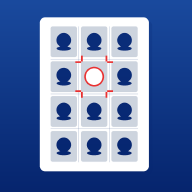
ID Photo Layout
Automatically arrange ID photos on paper for direct printing
Android coming sooniOS coming soon
Automatically arrange ID photos on paper for direct printing
Arranging ID photos used to be a tedious manual process.Only possible in Photoshop, one grid at a time.
With digital photos and a desire to print at home, you'd have to resize the canvas, drag photos, calculate dimensions, and align grids—time-consuming and frustrating. Most people just paid a studio instead. ID Photo Layout simplifies it to three steps on your phone: select, choose format, and print.
Five Standard Formats
1-inch (25×35mm), 2-inch (35×49mm), small 2-inch (33×48mm), passport (35×45mm), and visa (51×51mm)—the five most common formats are pre-installed. Select one, and your photos are automatically cropped to the exact standard size. No more guessing 'what size is a passport photo'.
Four Paper Sizes
Whether it's standard A4 paper or photo paper in 5R, 6R, or 7R sizes—all are supported. The app automatically calculates the optimal layout to fit the maximum number of photos per sheet, ensuring no paper is wasted.
300dpi Precision
Layouts are calculated with 300dpi millimeter-level precision, with errors smaller than half a hair’s width—far exceeding printer accuracy. Export as high-quality JPG (98%) or lossless PNG. Print shops will approve: 'This is a professional layout'.
Smart Cropping
It’s normal for photos from your camera to have the wrong aspect ratio for ID photos. The cropping screen provides a fixed frame with the standard ratio. Drag to position, and it’s automatically arranged on the sheet—seamless and efficient.
Bilingual Support
Toggle between Chinese and English interfaces with one tap. Use Chinese for daily needs, switch to English when submitting to embassies for visas—the entire interface changes instantly. All size guides and help tips update accordingly.
No account, no cloud, no ads. Buy once, use forever.
Automatically arrange ID photos on paper for direct printing
Yes. This is a clean, one-time purchase tool: no ads, no subscriptions, no in-app purchases, no internet connection, and no personal data collection. Pay once, use forever.
No. It processes everything locally offline. No data is uploaded, no personal information is collected, and there is no account system.
No. It's a one-time purchase with no in-app purchases, no subscriptions, and no ads. Buy it once and use it forever.
¥12, one-time purchase.
ID Photo Layout · 5 Formats, 300dpi, One-Time Purchase