
Unforget Calendar
Never miss a special day
Android coming soon iOS
Never miss a special day
Important days,always remembered when it's too late.
Birthdays, anniversaries, exam countdowns—scattered across memos and minds, only to realize they've passed. Unforget Calendar: Set it, and your phone will remind you. On that day, a special surprise awaits.
Home · Day Cards
The home screen is a list of cards, each showing the event name, days remaining/elapsed, solar/lunar dates, recurrence tags, and a custom theme color. Cards with background images are overlaid with a dimmed layer. Distant dates display in your chosen format, no longer just a cold, big number.
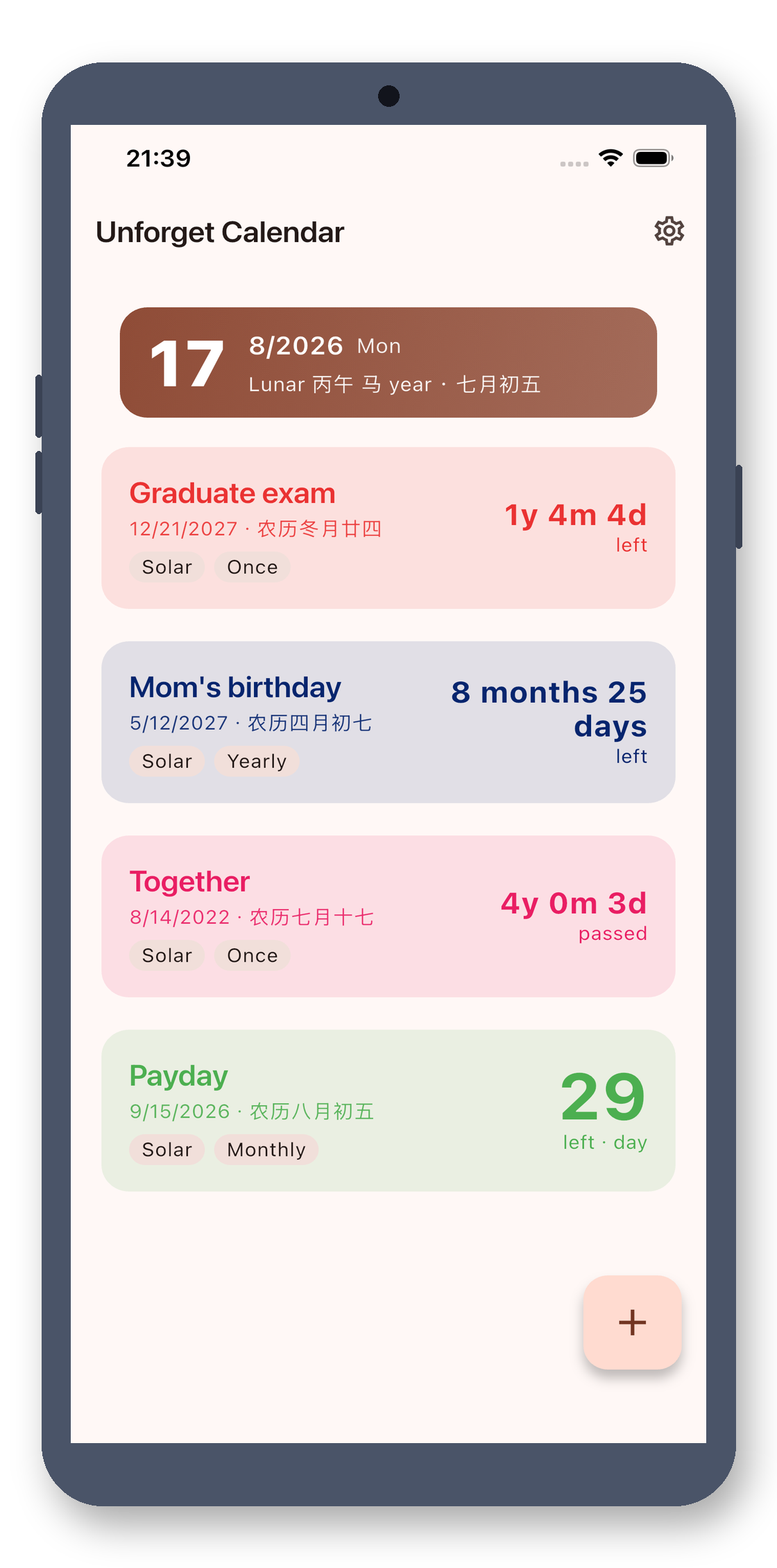
Count Up / Count Down
Both countdown (X days left, exam/birthday) and count-up (X days passed, on the job/in a relationship) are supported. On the same screen, red and green are clearly distinct: exam countdowns in red, relationship count-ups in green. Each event can be set independently.
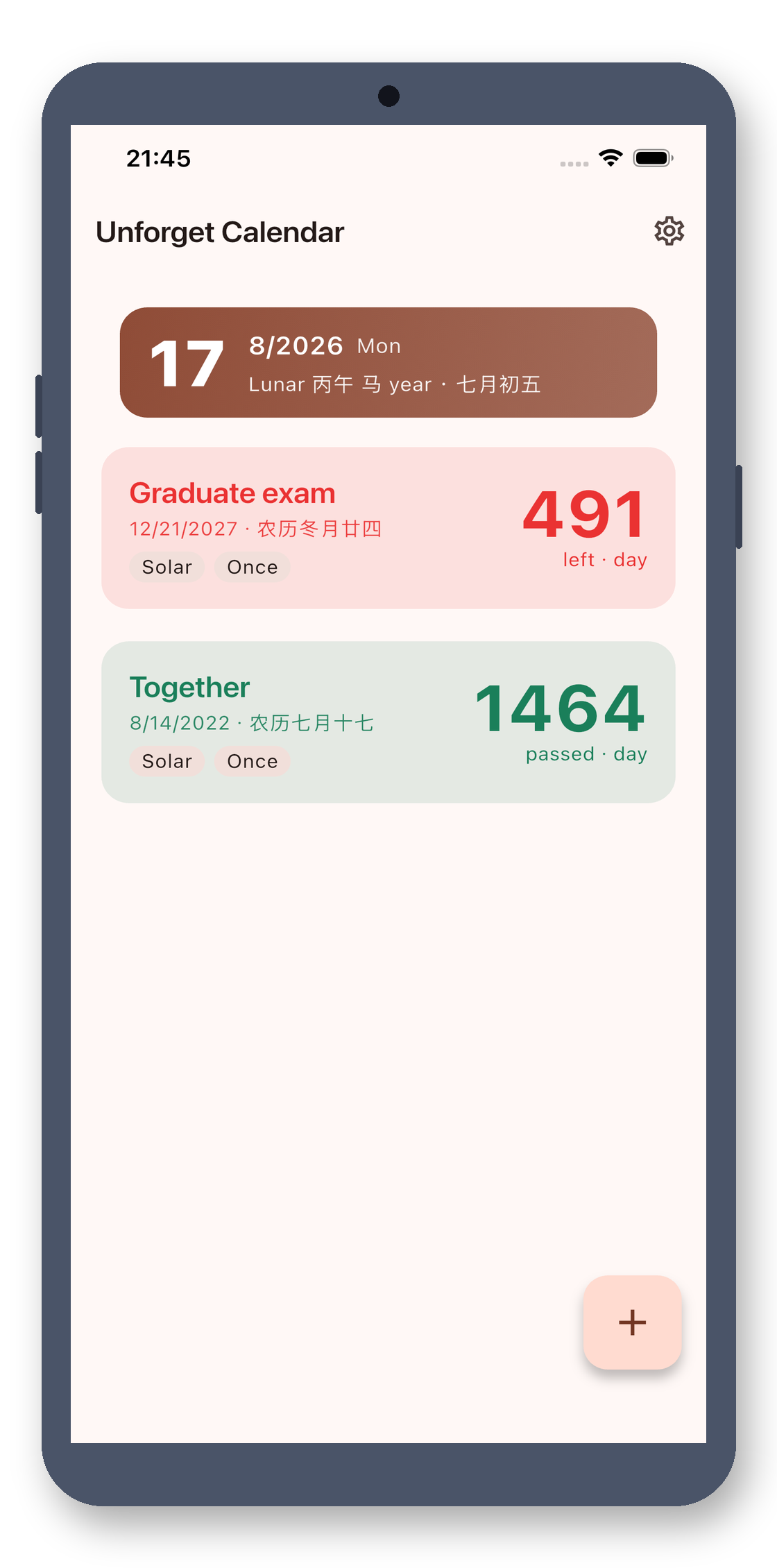
Flexible Date Formats
Each event can choose its own date format: pure days, months and days, years and months and days, or smart adaptive (days within 30, months and days across months, years and months and days across years). Distant dates are no longer just an abstract big number.
Solar & Lunar Calendar
Cards and desktop widgets display both solar and lunar dates, including correct handling of leap months. Set lunar birthdays for your parents without manual calendar checks—just set it and forget it.
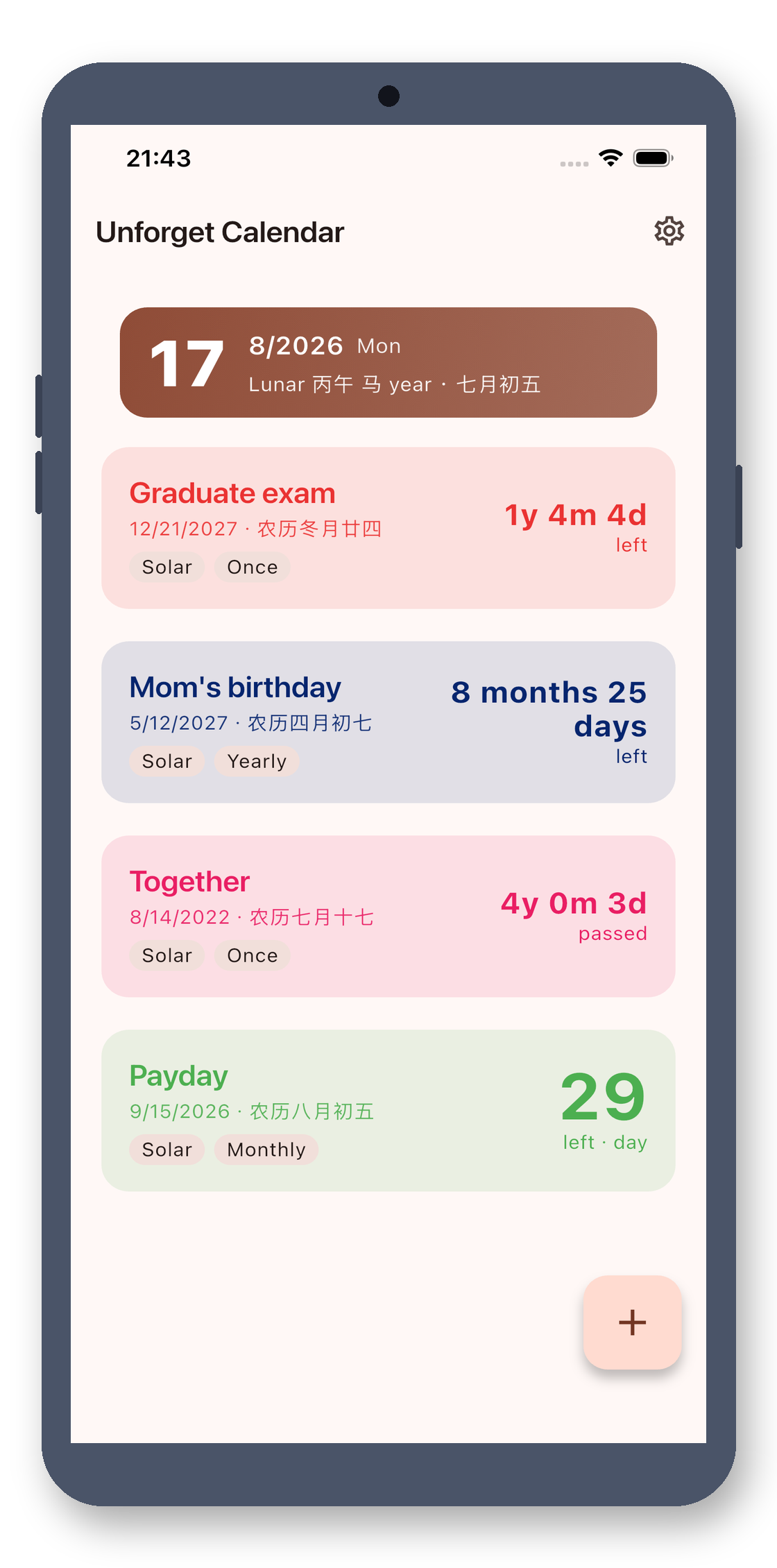
Dual-Calendar Wheel Picker
Our custom wheel date picker: select solar and see lunar in real-time, select lunar and see solar in real-time. Unused columns auto-collapse based on recurrence type, and switching calendars doesn't lose your selection.
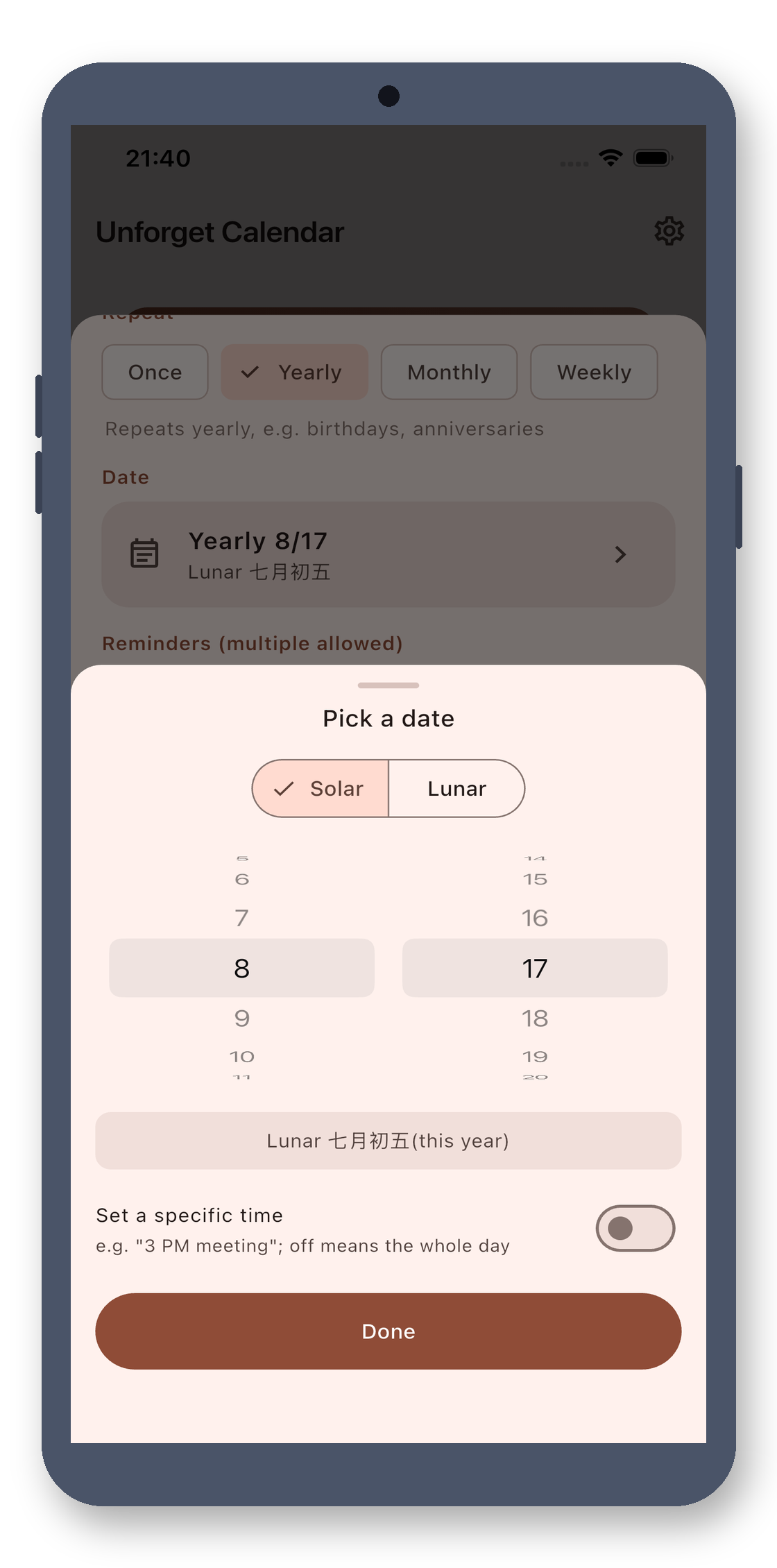
Four Recurrence Granularities
Recurrence type determines how you fill the date: one-time (year/month/day), yearly (month/day for birthdays), monthly (day of month for salary/loans), weekly (day of week for meetings). Lunar recurrences auto-calculate next year, even with leap months.
Multiple Custom Reminders
One event can have multiple reminders, each with 'X days/weeks/months before + time of day'. Even 'weekly meeting, remind at 8 AM Tuesday' is possible. Count-up anniversaries can also be reminded.
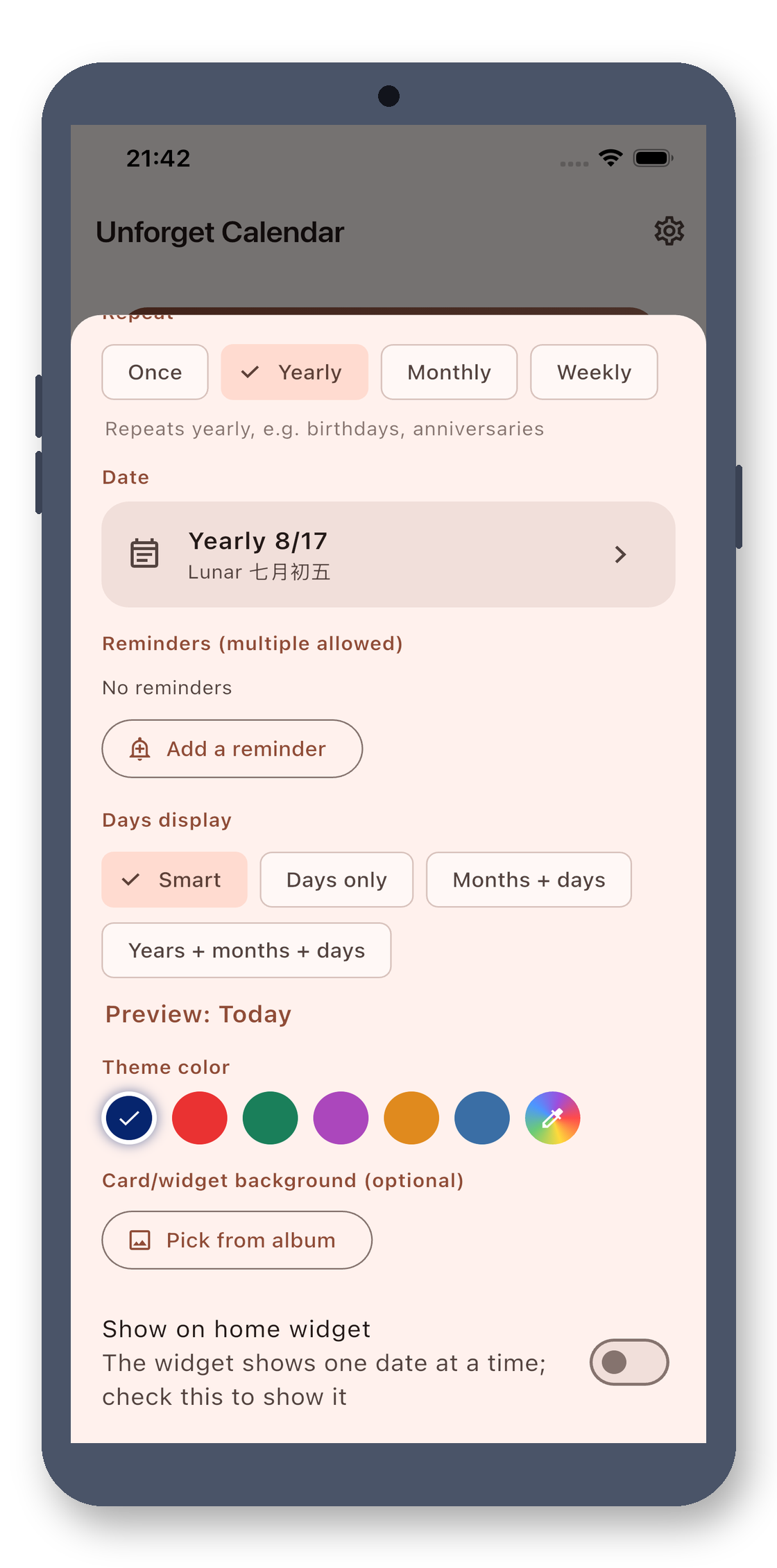
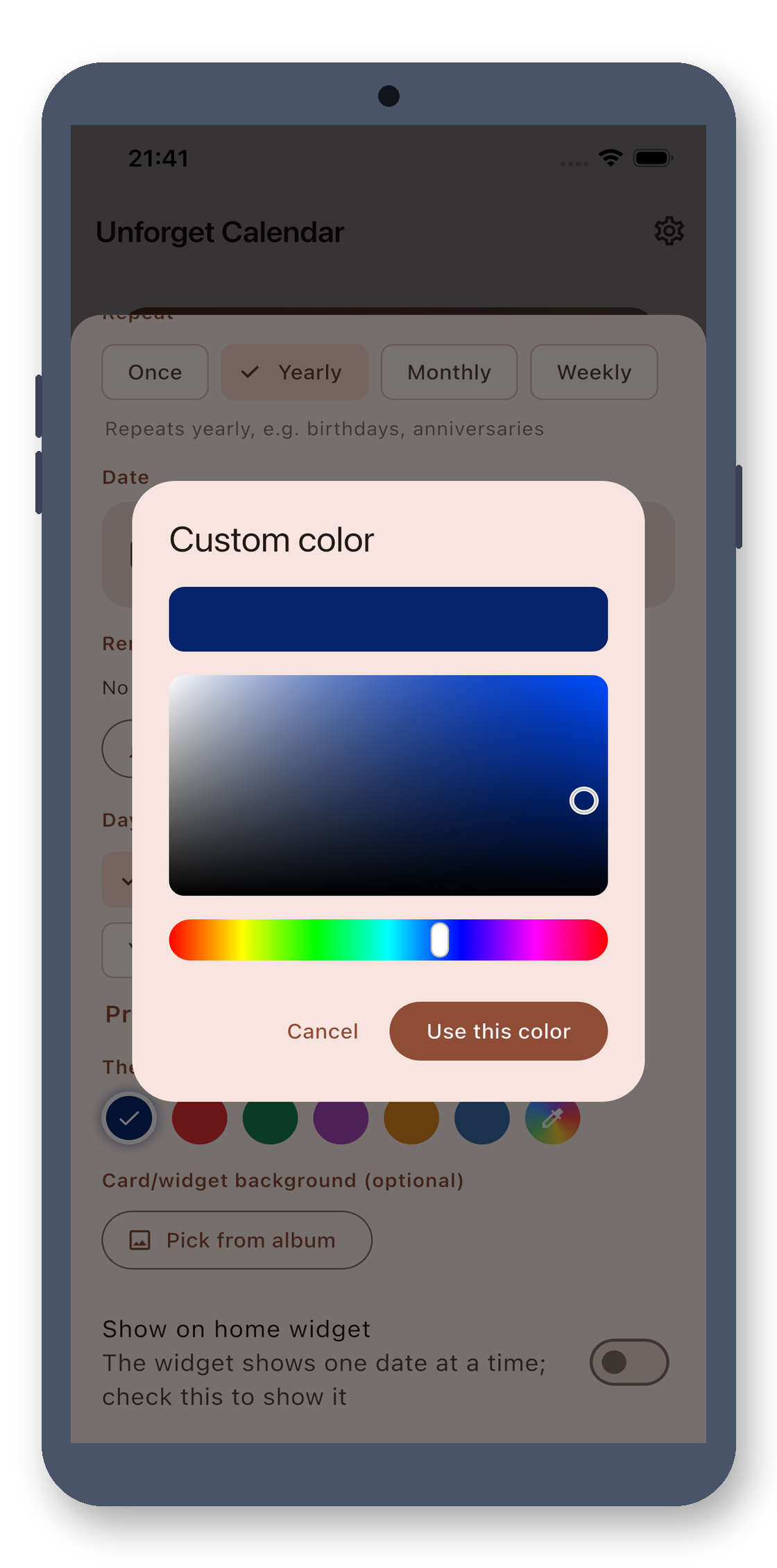
HSV Custom Color Picker
Beyond 6 preset colors, open a full HSV color picker—hue bar plus saturation/brightness panels. Dial in any color, mark each day uniquely, and spot them at a glance in the list.
Desktop Widgets
Pin your most important days to a 4×2 desktop widget with a custom background. Directly shows days and solar/lunar dates. One-click add in-app (Android 8+). For launchers that don't support widgets, fall back to image/text guides.
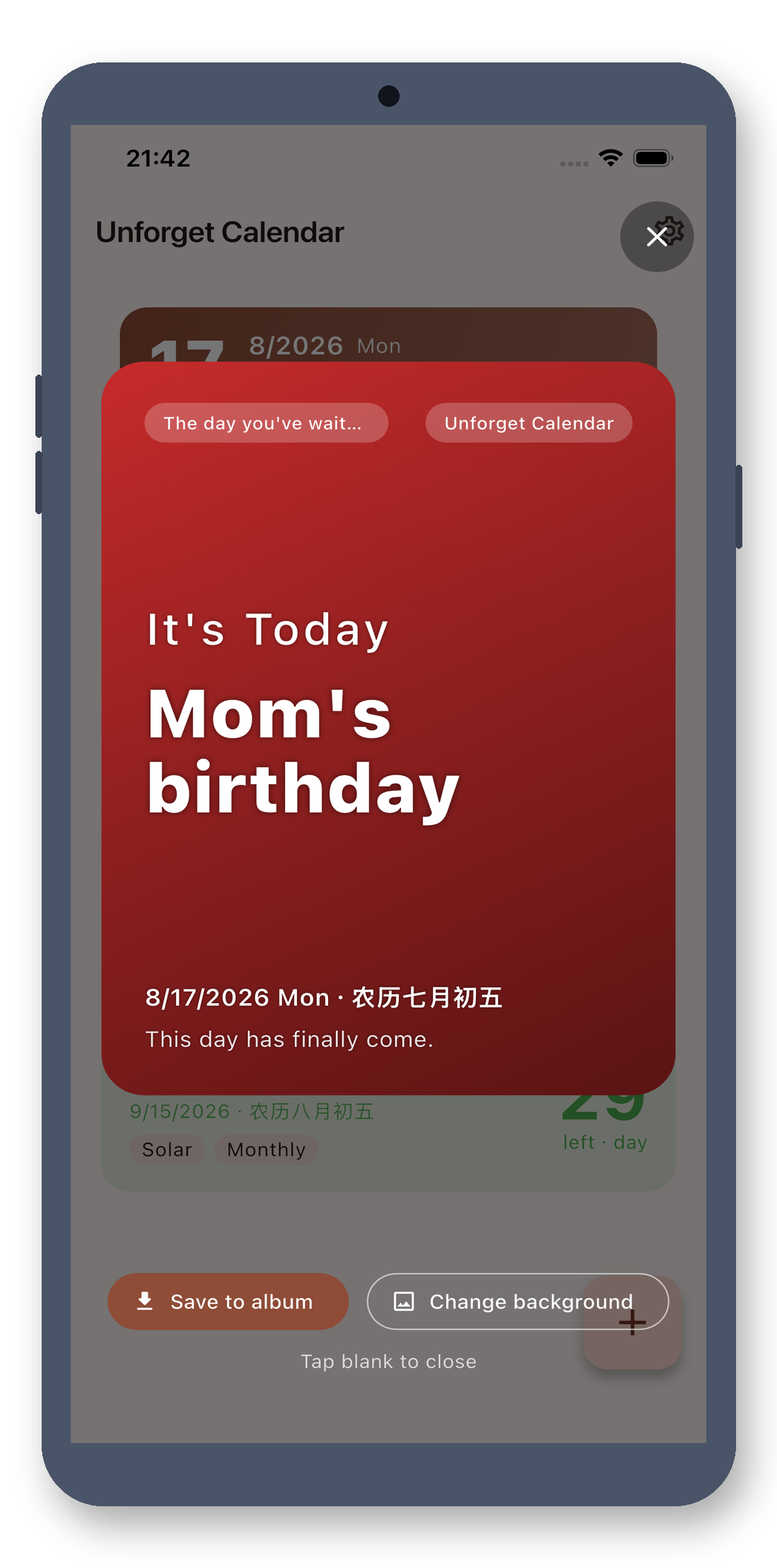
Celebration Poster on the Day
Open the app on the day, and it auto-generates a vertical poster—big 'Today' text, event name, dual-calendar dates, and a warm message. Use your own photo, save to camera roll, and share to social media in one tap.
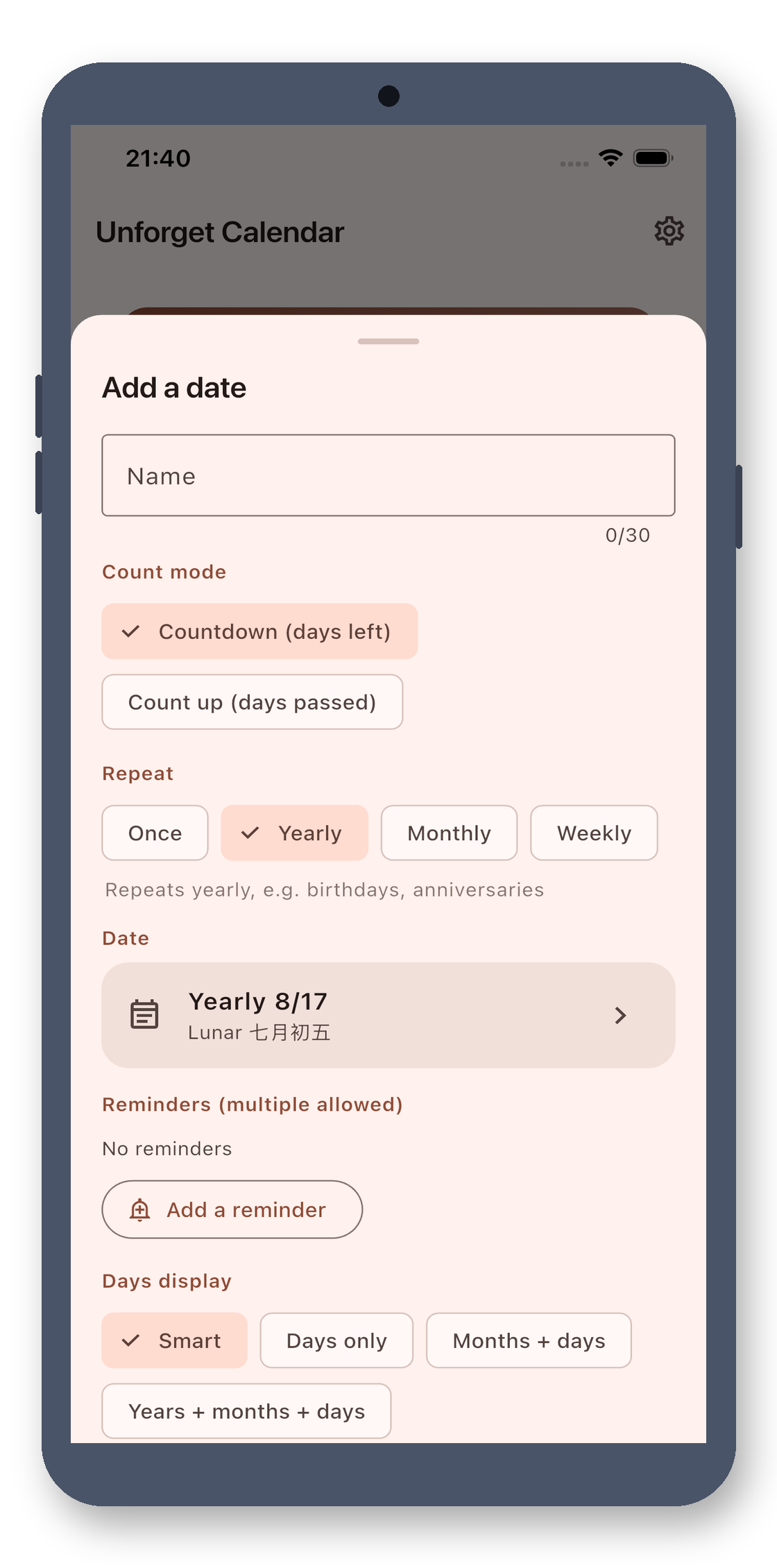
Edit · All in One Screen
Add/edit popup puts everything on one screen: event name, calendar, wheel date, count up/down, recurrence, multiple reminders, date format, theme color, background, top flag, and widget. Save to apply.
Anti-Deletion Protection
Deleting a day needs a confirmation popup, then hold for 3 seconds to actually delete. Important days you've tracked won't vanish from a slip. Old data migrates automatically on update—no lost reminders.
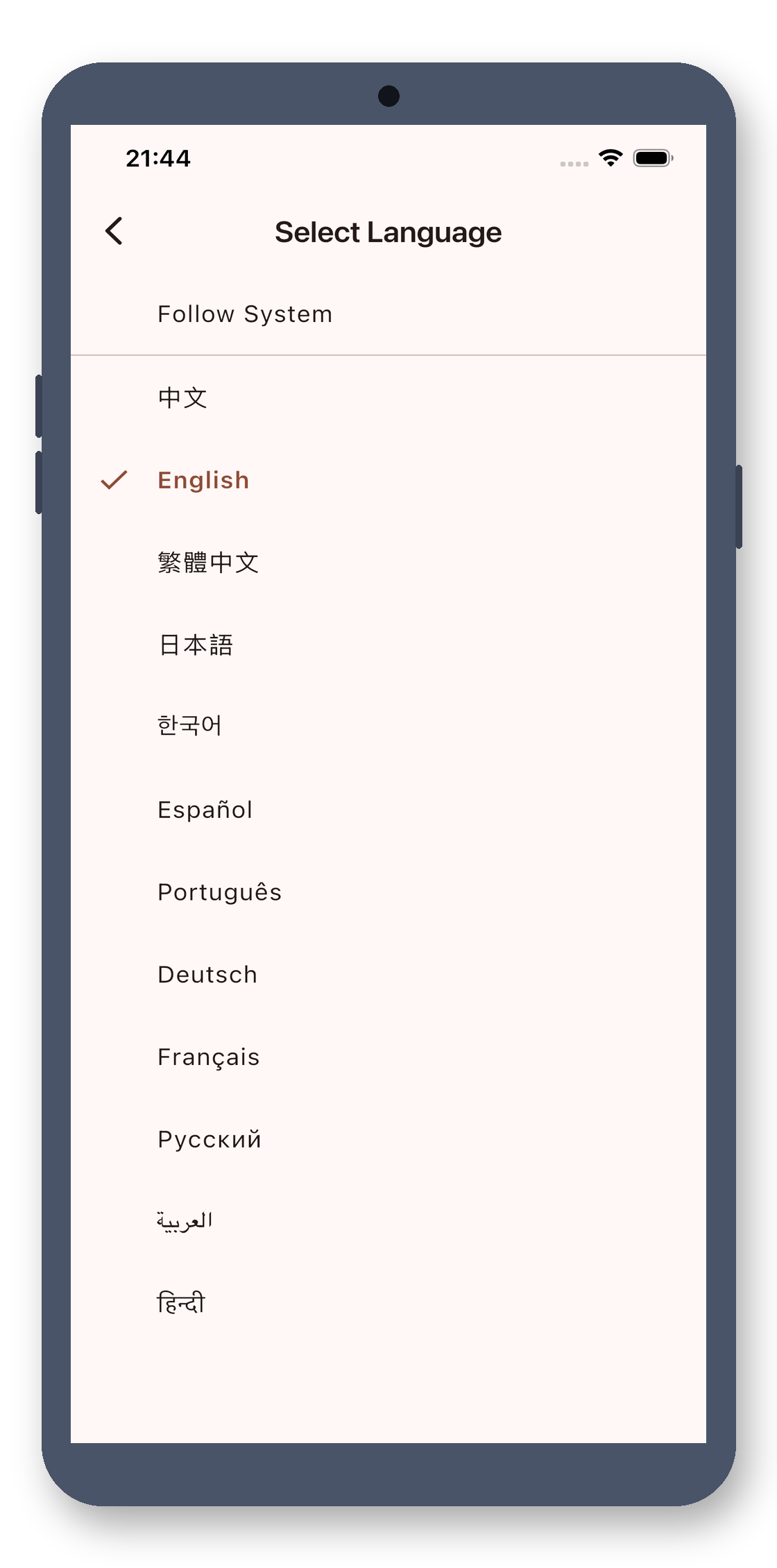
12 Languages
Supports Chinese (Simplified/Traditional), English, Japanese, Korean, Spanish, Portuguese, German, French, Russian, Arabic, and Hindi—12 languages total. Auto-switches with system language, or manual pick in settings.
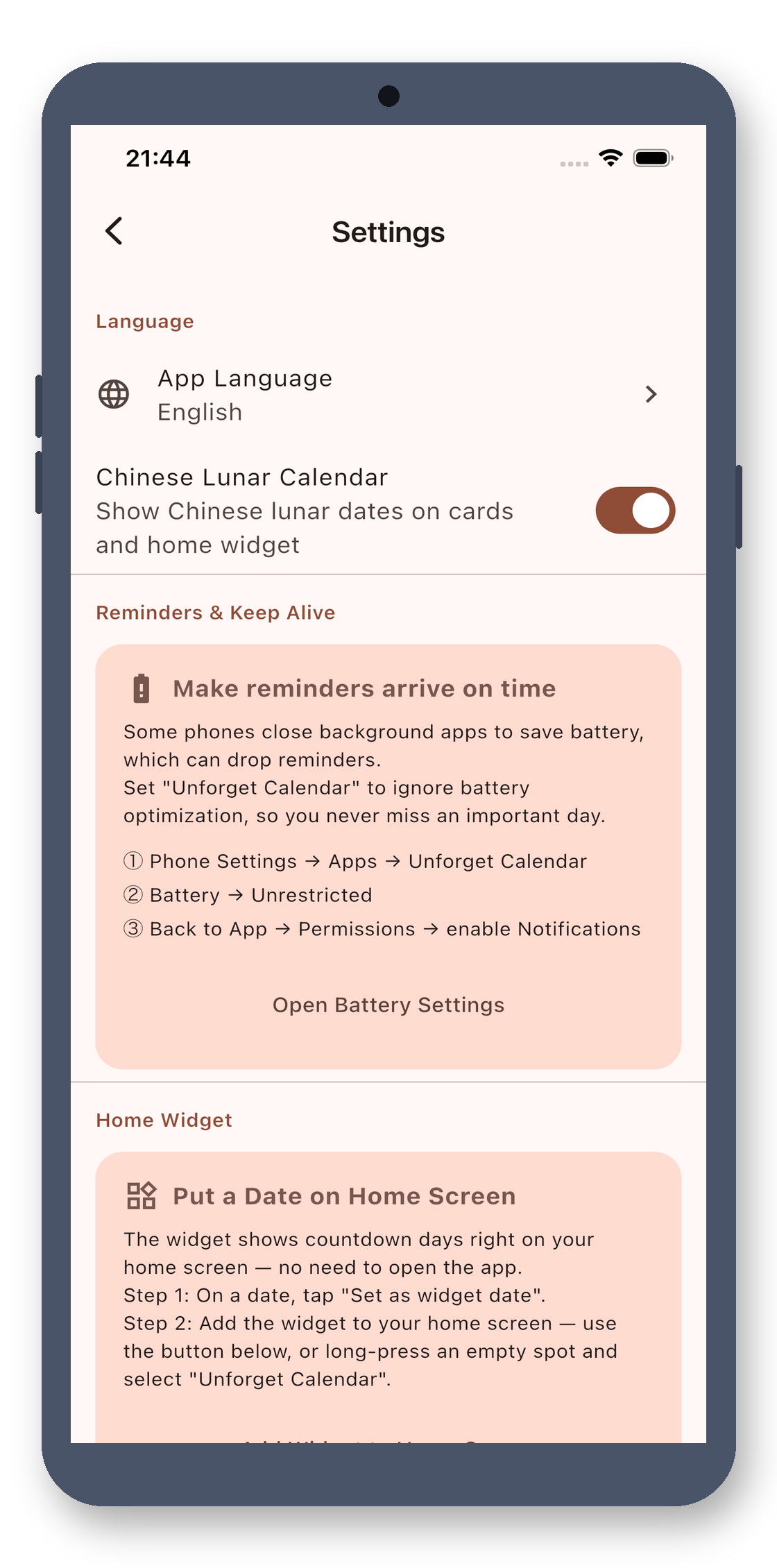
Settings · Battery Optimization Guide
Settings page provides a visual guide to disable battery optimization on Huawei/Xiaomi/OV and other Chinese ROMs, preventing missed reminders due to power-saving. About page has version number and privacy policy.
100% Local · One-Time Purchase
All data is stored locally—no internet, no uploads, no third-party SDKs. No payments, unlocks, subscriptions, or ads in the app. One-time purchase unlocks all features. Payments handled via external stores.
No account, no cloud, no ads. Buy once, use forever.
Never miss a special day
Yes. This is a clean, one-time purchase tool: no ads, no subscriptions, no in-app purchases, no internet connection, and no personal data collection. Pay once, use forever.
No. It processes everything locally offline. No data is uploaded, no personal information is collected, and there is no account system.
No. It's a one-time purchase with no in-app purchases, no subscriptions, and no ads. Buy it once and use it forever.
¥12, one-time purchase.
Unforget Calendar · Countdowns, Lunar Calendar, Desktop Widgets